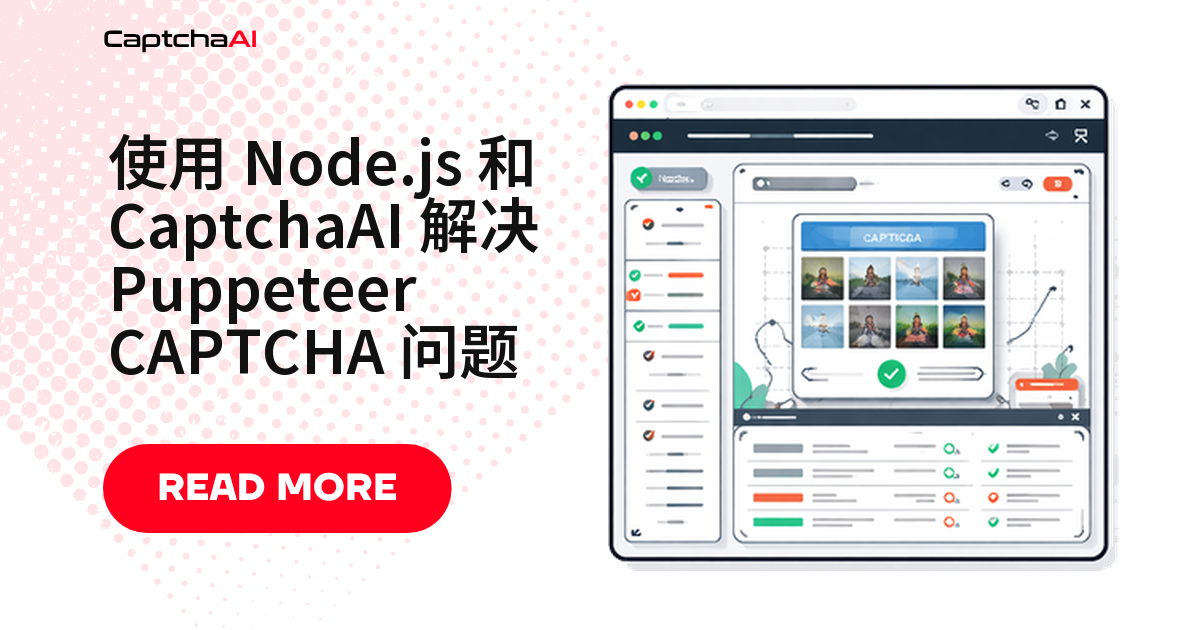
Puppeteer 脚本卡在 reCAPTCHA 或 Cloudflare Turnstile 上,多半不是浏览器配置问题。把识别外包给 CaptchaAI 的 API 更直接:Puppeteer 只负责打开页面、提取参数、提交表单,识别交给服务端完成。
Puppeteer 验证码识别环境准备
| 环境 | 说明 |
|---|---|
| Node.js 16 及以上 | 搭配 npm 使用 |
| Puppeteer | npm install puppeteer |
| axios | npm install axios |
| CaptchaAI API Key | 在 CaptchaAI 官网 注册获取 |
国内网络拉取依赖慢时可加镜像参数:npm install puppeteer --registry=https://registry.npmmirror.com。
整体流程:Puppeteer 如何配合 CaptchaAI 识别验证码
- Puppeteer 打开出现验证码的目标页面
- 脚本从 DOM 中提取验证码的 sitekey
- CaptchaAI 在服务端完成识别
- 脚本拿到 token 后注入页面并提交表单
国内团队用 Puppeteer 抓取海外站点时,遇到的多是 reCAPTCHA 或 Cloudflare Turnstile;目标是国内站点则更常见 GeeTest(极验)。reCAPTCHA 组件依赖 Google 域名下的脚本,国内网络直连打开页面时经常加载不出来——很多人本地调通了,放到国内服务器上就卡住,先确认页面能否渲染出验证码组件,再排查代码逻辑。CaptchaAI 的识别请求走自己的接口(ocr.captchaai.com),不依赖 Google 域名,页面能加载出验证码,识别这一步就不受影响。
第 1 步:编写验证码识别模块
把提交任务和轮询结果封装成独立模块,方便复用。solver.js 分别处理 reCAPTCHA v2 和 Cloudflare Turnstile:提交任务拿到 taskId,按固定间隔轮询 res.php,直到拿到 OK| 开头的结果,超过重试次数就抛错。
// solver.js
const axios = require("axios");

const API_KEY = "YOUR_API_KEY";
const POLL_INTERVAL = 5000;
const MAX_ATTEMPTS = 60;

async function solveRecaptchaV2(siteKey, pageUrl) {
  // Submit task
  const submitResp = await axios.get("https://ocr.captchaai.com/in.php", {
    params: {
      key: API_KEY,
      method: "userrecaptcha",
      googlekey: siteKey,
      pageurl: pageUrl,
    },
  });

  if (!submitResp.data.startsWith("OK|")) {
    throw new Error(`Submit failed: ${submitResp.data}`);
  }

  const taskId = submitResp.data.split("|")[1];
  console.log(`Task submitted: ${taskId}`);

  // Poll for result
  for (let i = 0; i < MAX_ATTEMPTS; i++) {
    await new Promise((r) => setTimeout(r, POLL_INTERVAL));

    const result = await axios.get("https://ocr.captchaai.com/res.php", {
      params: { key: API_KEY, action: "get", id: taskId },
    });

    if (result.data === "CAPCHA_NOT_READY") continue;
    if (result.data.startsWith("OK|")) {
      return result.data.split("|")[1];
    }
    throw new Error(`Solve failed: ${result.data}`);
  }
  throw new Error("Solve timed out");
}

async function solveTurnstile(siteKey, pageUrl) {
  const submitResp = await axios.get("https://ocr.captchaai.com/in.php", {
    params: {
      key: API_KEY,
      method: "turnstile",
      sitekey: siteKey,
      pageurl: pageUrl,
    },
  });

  if (!submitResp.data.startsWith("OK|")) {
    throw new Error(`Submit failed: ${submitResp.data}`);
  }

  const taskId = submitResp.data.split("|")[1];

  for (let i = 0; i < MAX_ATTEMPTS; i++) {
    await new Promise((r) => setTimeout(r, POLL_INTERVAL));
    const result = await axios.get("https://ocr.captchaai.com/res.php", {
      params: { key: API_KEY, action: "get", id: taskId },
    });
    if (result.data === "CAPCHA_NOT_READY") continue;
    if (result.data.startsWith("OK|")) return result.data.split("|")[1];
    throw new Error(`Solve failed: ${result.data}`);
  }
  throw new Error("Solve timed out");
}

module.exports = { solveRecaptchaV2, solveTurnstile };
第 2 步:配置 Puppeteer 标准环境
验证码识别发生在 CaptchaAI 服务端,Puppeteer 不需要特殊处理——标准 headless 启动参数即可,重点是把 User-Agent 设置成正常浏览器字符串。
const puppeteer = require("puppeteer");

async function createBrowser() {
  const browser = await puppeteer.launch({
    headless: "new",
    args: [
      "--no-sandbox",
      "--disable-setuid-sandbox",
      "--no-sandbox",
    ],
  });

  const page = await browser.newPage();
  await page.setUserAgent(
    "Mozilla/5.0 (Windows NT 10.0; Win64; x64) AppleWebKit/537.36"
  );

  // Hide automation indicators
  await page.evaluateOnNewDocument(() => {
    Object.defineProperty(navigator, "webdriver", { get: () => false });
  });

  return { browser, page };
}
第 3 步:让 Puppeteer 完成 reCAPTCHA 识别流程
有了 solver.js,实际流程就是四步:打开页面、提取 sitekey、拿 token、注入并提交。scrapeWithCaptcha 把四步串起来,无论成败都在 finally 里关闭浏览器,避免 headless 进程残留。
const { solveRecaptchaV2 } = require("./solver");

async function scrapeWithCaptcha(url) {
  const { browser, page } = await createBrowser();

  try {
    await page.goto(url, { waitUntil: "networkidle2" });

    // Extract site key
    const siteKey = await page.$eval(
      ".g-recaptcha",
      (el) => el.getAttribute("data-sitekey")
    );
    console.log("Site key:", siteKey);

    // Solve with CaptchaAI
    const token = await solveRecaptchaV2(siteKey, url);
    console.log("Token received:", token.substring(0, 50));

    // Inject token
    await page.evaluate((token) => {
      document.getElementById("g-recaptcha-response").innerHTML = token;
      document.getElementById("g-recaptcha-response").style.display = "";
    }, token);

    // Submit the form
    await page.click('button[type="submit"]');
    await page.waitForNavigation({ waitUntil: "networkidle2" });

    // Scrape the content
    const content = await page.content();
    console.log("Page loaded successfully");
    return content;
  } finally {
    await browser.close();
  }
}
第 4 步:处理 JavaScript 回调
有些站点不靠表单提交拿到 token,而是绑定 JavaScript 回调,需要手动触发才生效。下面遍历 reCAPTCHA 客户端配置,找到第一个函数类型属性并调用:
// Trigger the reCAPTCHA callback
await page.evaluate((token) => {
  // Method 1: Direct callback
  if (typeof ___grecaptcha_cfg !== "undefined") {
    const clients = ___grecaptcha_cfg.clients;
    Object.keys(clients).forEach((key) => {
      const client = clients[key];
      // Find the callback function
      const findCallback = (obj) => {
        for (const prop in obj) {
          if (typeof obj[prop] === "function") {
            obj[prop](token);
            return true;
          }
          if (typeof obj[prop] === "object" && obj[prop] !== null) {
            if (findCallback(obj[prop])) return true;
          }
        }
        return false;
      };
      findCallback(client);
    });
  }
}, token);
完整示例:从打开页面到提交表单
把前面几步拼起来,是一个可直接跑的最小示例,针对的是一个 staging 登录页,把 URL 和选择器换成你自己的目标即可:
const puppeteer = require("puppeteer");
const axios = require("axios");

const API_KEY = "YOUR_API_KEY";

async function solveCaptcha(siteKey, pageUrl) {
  const submit = await axios.get("https://ocr.captchaai.com/in.php", {
    params: {
      key: API_KEY,
      method: "userrecaptcha",
      googlekey: siteKey,
      pageurl: pageUrl,
    },
  });
  const taskId = submit.data.split("|")[1];

  while (true) {
    await new Promise((r) => setTimeout(r, 5000));
    const result = await axios.get("https://ocr.captchaai.com/res.php", {
      params: { key: API_KEY, action: "get", id: taskId },
    });
    if (result.data === "CAPCHA_NOT_READY") continue;
    if (result.data.startsWith("OK|")) return result.data.split("|")[1];
    throw new Error(result.data);
  }
}

(async () => {
  const browser = await puppeteer.launch({
    headless: "new",
    args: ["--no-sandbox"],
  });
  const page = await browser.newPage();

  try {
    await page.goto("https://staging.example.com/qa-login", {
      waitUntil: "networkidle2",
    });

    // Get the site key
    const siteKey = await page.$eval(".g-recaptcha", (el) =>
      el.getAttribute("data-sitekey")
    );

    // Solve
    const token = await solveCaptcha(siteKey, page.url());

    // Inject and submit
    await page.evaluate((t) => {
      document.getElementById("g-recaptcha-response").innerHTML = t;
    }, token);

    await page.click("#submit-btn");
    await page.waitForNavigation();

    console.log("Done:", page.url());
  } finally {
    await browser.close();
  }
})();
常见问题排查
| 问题 | 原因 | 处理方式 |
|---|---|---|
page.$eval 报错,取不到 sitekey |
验证码异步加载,初始渲染时还没出现 | 用 page.waitForSelector('.g-recaptcha') 等元素出现后再提取 |
| token 提交后不生效 | token 提交前已过期 | 拿到 token 立刻注入,不要插入耗时操作 |
| 页面识别出自动化环境 | User-Agent 或启动参数不完整 | 检查第 2 步的标准配置 |
Navigation timeout |
提交后页面没有跳转 | 确认站点是 AJAX 提交还是表单 POST,AJAX 场景改成等待特定元素或请求完成 |
常见问题
无头模式和有头模式,该选哪个?
无头模式(headless)配合 CaptchaAI 没问题,识别在服务端完成,浏览器不需要真显示。只有本地调试想直接看页面状态时才需要切换成有头模式。
Puppeteer 提取不到 sitekey 怎么办?
先确认验证码组件是不是异步加载的——很多站点首次渲染完之后才插入验证码 div。用 page.waitForSelector 等元素出现后再 $eval 提取 data-sitekey,比 page.goto 后立刻提取稳得多。
GeeTest v3 能用 Puppeteer + CaptchaAI 识别吗?
可以,思路和 reCAPTCHA、Turnstile 一致:从页面提取 gt、challenge、pageurl 参数,提交给 CaptchaAI 接口,拿到结果后按站点要求注入。GeeTest v4 目前还不支持,官方状态是即将支持。
表单提交后没有跳转,是什么情况?
大概率是站点用 AJAX 提交而非表单 POST。不要死等 page.waitForNavigation(),改成等待接口请求完成,或等提交成功后才出现的某个元素。
一个页面有多个验证码,要怎么处理?
分别提取每个 sitekey,用 Promise.all() 并行提交给 CaptchaAI,拿到所有 token 后再统一注入、提交,比串行等待快很多。
相关阅读
- 用 Python 处理 Selenium 验证码
- Playwright 验证码识别指南
- Node.js 验证码抓取实战教程