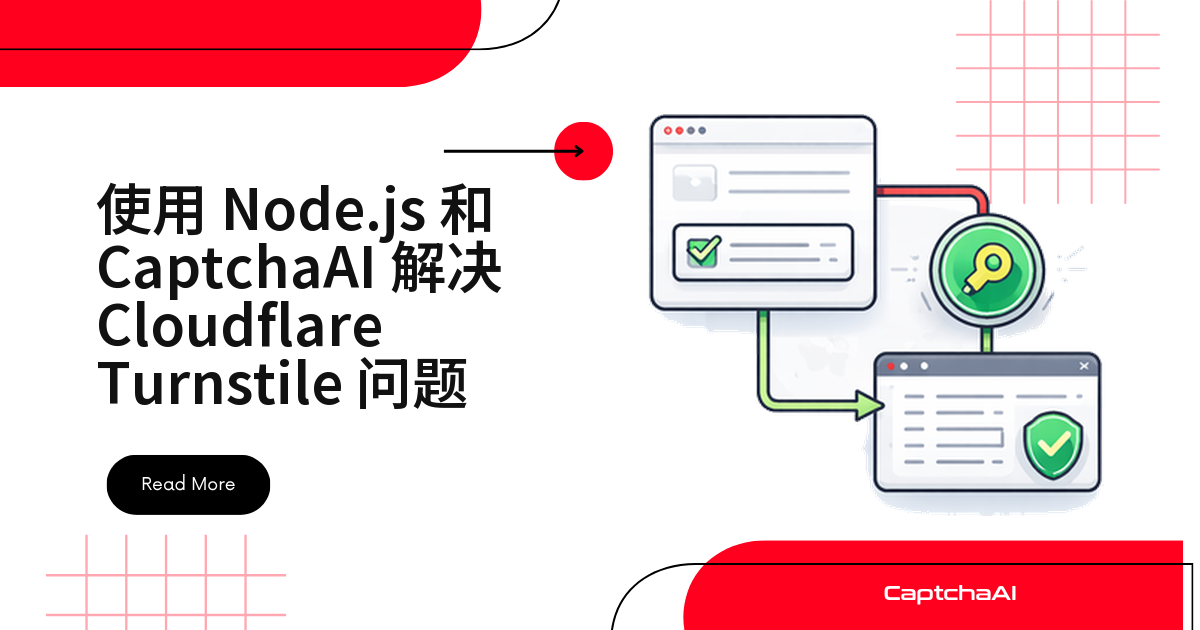
Node.js 里处理 Cloudflare Turnstile 只有三个动作:拿到 0x 开头的 sitekey,用 method=turnstile 提交给 CaptchaAI,把返回的 token 以 cf-turnstile-response 发回表单。Node.js 18+ 自带 fetch,全程不装额外依赖。
国内站点更常见的是极验滑块,但做出海业务或跨境电商自建后台,就会频繁撞上 Turnstile。下面的代码在自有 staging 环境里跑通,可直接抄用。
环境准备
- Node.js 18+:
fetch与URLSearchParams已内置。 - 一个 CaptchaAI API Key,放进环境变量,别硬编码进仓库。
- 国内机器建议先配好 npm 镜像:
npm config set registry https://registry.npmmirror.com。
第 1 步:从页面提取 Turnstile sitekey
Turnstile 的 sitekey 以 0x 开头,reCAPTCHA 以 6Le 开头,看首字符就能分清。它通常藏在四个位置:cf-turnstile 容器上、其他元素的 data-sitekey、turnstile.render() 参数,或内联脚本里。下面按命中率依次匹配:
async function extractTurnstileSitekey(url) {
  const resp = await fetch(url, {
    headers: {
      "User-Agent":
        "Mozilla/5.0 (Windows NT 10.0; Win64; x64) AppleWebKit/537.36 Chrome/120.0.0.0 Safari/537.36",
    },
  });
  const html = await resp.text();

  // Method 1: data-sitekey attribute on Turnstile div
  const divMatch = html.match(
    /class=["'][^"]*cf-turnstile[^"]*["'][^>]*data-sitekey=["']([0-9x][A-Za-z0-9_-]+)["']/
  );
  if (divMatch) return divMatch[1];

  // Method 2: data-sitekey on any element (Turnstile keys start with 0x)
  const attrMatch = html.match(
    /data-sitekey=["'](0x[A-Za-z0-9_-]+)["']/
  );
  if (attrMatch) return attrMatch[1];

  // Method 3: In JavaScript turnstile.render call
  const jsMatch = html.match(
    /turnstile\.render\s*\([^,]+,\s*\{[^}]*sitekey\s*:\s*["']([0-9x][A-Za-z0-9_-]+)["']/
  );
  if (jsMatch) return jsMatch[1];

  // Method 4: Generic sitekey in inline script
  const inlineMatch = html.match(
    /sitekey\s*:\s*["'](0x[A-Za-z0-9_-]+)["']/
  );
  if (inlineMatch) return inlineMatch[1];

  return null;
}
第 2 步:调用 CaptchaAI 识别 Turnstile
四种匹配都为空时,先打印 html 看看是不是被整页 challenge 挡住了——那属于 Cloudflare Challenge,处理方式不同。
提交任务用 in.php,取结果用 res.php,都带 json=1。Turnstile 的识别耗时通常在 10 秒以内,30 次、间隔 5 秒的轮询上限很宽松:
const API_KEY = "YOUR_API_KEY";

function sleep(ms) {
  return new Promise((resolve) => setTimeout(resolve, ms));
}

async function solveTurnstile(sitekey, pageurl, action = null) {
  // Submit task
  const submitData = {
    key: API_KEY,
    method: "turnstile",
    sitekey: sitekey,
    pageurl: pageurl,
    json: "1",
  };

  if (action) {
    submitData.action = action;
  }

  const submitResp = await fetch("https://ocr.captchaai.com/in.php", {
    method: "POST",
    body: new URLSearchParams(submitData),
  });
  const submitResult = await submitResp.json();

  if (submitResult.status !== 1) {
    throw new Error(`Submit error: ${submitResult.request}`);
  }

  const taskId = submitResult.request;
  console.log(`Task ID: ${taskId}`);

  // Poll for result
  for (let i = 0; i < 30; i++) {
    await sleep(5000);

    const pollResp = await fetch(
      `https://ocr.captchaai.com/res.php?${new URLSearchParams({
        key: API_KEY,
        action: "get",
        id: taskId,
        json: "1",
      })}`
    );
    const pollResult = await pollResp.json();

    if (pollResult.status === 1) {
      return pollResult.request;
    }

    if (pollResult.request === "ERROR_CAPTCHA_UNSOLVABLE") {
      throw new Error("Turnstile unsolvable");
    }
  }

  throw new Error("Solve timed out");
}
第 3 步:把 token 提交回表单
注意两点:pageurl 必须是验证码实际出现的页面地址;收到 ERROR_CAPTCHA_UNSOLVABLE 就换新任务重试,别在同一个 ID 上死等。
token 就是一个字符串,塞进 cf-turnstile-response 和其余字段一起 POST 回去。User-Agent 要与抓页面时一致,这是 403 最常见的来源:
async function submitTurnstileForm(url, formData, token) {
  const body = new URLSearchParams({
    ...formData,
    "cf-turnstile-response": token,
  });

  const resp = await fetch(url, {
    method: "POST",
    headers: {
      "Content-Type": "application/x-www-form-urlencoded",
      "User-Agent":
        "Mozilla/5.0 (Windows NT 10.0; Win64; x64) AppleWebKit/537.36 Chrome/120.0.0.0 Safari/537.36",
    },
    body,
  });

  return {
    status: resp.status,
    body: await resp.text(),
  };
}
串起来:一次完整的登录流程
三个函数接起来就是一个最小闭环。示例地址指向自建的 staging 站点,先在测试环境跑通再接业务:
async function loginWithTurnstile(loginUrl, credentials) {
  // Step 1: Extract sitekey
  const sitekey = await extractTurnstileSitekey(loginUrl);
  if (!sitekey) {
    throw new Error("Turnstile sitekey not found");
  }
  console.log(`Sitekey: ${sitekey}`);

  // Step 2: Solve Turnstile
  const token = await solveTurnstile(sitekey, loginUrl);
  console.log(`Token: ${token.substring(0, 50)}...`);

  // Step 3: Submit form
  const result = await submitTurnstileForm(loginUrl, credentials, token);
  console.log(`Result: ${result.status}`);

  return result;
}

// Usage
const result = await loginWithTurnstile("https://staging.example.com/qa-login", {
  email: "[email protected]",
  password: "pass123",
});
生产环境封装:TurnstileSolver 类
脚本跑通后,把检测、提交、轮询收进一个类,API Key 用私有字段保存,后续换队列驱动改动更小:
class TurnstileSolver {
  #apiKey;

  constructor(apiKey) {
    this.#apiKey = apiKey;
  }

  async solve(sitekey, pageurl, options = {}) {
    const taskId = await this.#submit(sitekey, pageurl, options);
    return await this.#poll(taskId);
  }

  async detectAndSolve(url) {
    const sitekey = await this.#detect(url);
    if (!sitekey) throw new Error("No Turnstile found");
    return await this.solve(sitekey, url);
  }

  async #detect(url) {
    const resp = await fetch(url, {
      headers: { "User-Agent": "Mozilla/5.0 (Windows NT 10.0; Win64; x64) Chrome/120.0.0.0" },
    });
    const html = await resp.text();
    const match = html.match(/data-sitekey=["'](0x[A-Za-z0-9_-]+)["']/);
    return match ? match[1] : null;
  }

  async #submit(sitekey, pageurl, options) {
    const body = new URLSearchParams({
      key: this.#apiKey,
      method: "turnstile",
      sitekey,
      pageurl,
      json: "1",
      ...(options.action && { action: options.action }),
      ...(options.cdata && { data: options.cdata }),
    });

    const resp = await fetch("https://ocr.captchaai.com/in.php", {
      method: "POST",
      body,
    });
    const data = await resp.json();

    if (data.status !== 1) throw new Error(`Submit: ${data.request}`);
    return data.request;
  }

  async #poll(taskId) {
    const params = new URLSearchParams({
      key: this.#apiKey,
      action: "get",
      id: taskId,
      json: "1",
    });

    for (let i = 0; i < 30; i++) {
      await new Promise((r) => setTimeout(r, 5000));
      const resp = await fetch(`https://ocr.captchaai.com/res.php?${params}`);
      const data = await resp.json();

      if (data.status === 1) return data.request;
      if (data.request === "ERROR_CAPTCHA_UNSOLVABLE") {
        throw new Error("Unsolvable");
      }
    }
    throw new Error("Timed out");
  }
}

// Usage
const solver = new TurnstileSolver("YOUR_API_KEY");
const token = await solver.detectAndSolve("https://staging.example.com/qa-login");
处理 action 与 cData 参数
有些站点渲染 Turnstile 时会带上 action 和 cData。它们参与 token 校验,漏传就判失败,且报错笼统难定位。先从 HTML 取出 data-action,提交时一并传给 CaptchaAI,cData 对应请求里的 data:
// Extract action from the page
function extractTurnstileAction(html) {
  const match = html.match(
    /data-action=["']([^"']+)["']|action\s*:\s*["']([^"']+)["']/
  );
  return match ? match[1] || match[2] : null;
}

// Solve with action
const token = await solver.solve(sitekey, pageurl, {
  action: "login",
  cdata: "session_abc123",
});
在自己的服务端校验 Turnstile token
如果接入方服务端也归你负责,校验请求发给 Cloudflare 的 siteverify 接口,密钥用站点后台的 secret key,可确认 token 是否有效:
async function verifyTurnstileToken(token, ip) {
  const resp = await fetch(
    "https://challenges.cloudflare.com/turnstile/v0/siteverify",
    {
      method: "POST",
      headers: { "Content-Type": "application/x-www-form-urlencoded" },
      body: new URLSearchParams({
        secret: "YOUR_TURNSTILE_SECRET_KEY",
        response: token,
        remoteip: ip,
      }),
    }
  );

  const data = await resp.json();
  return data.success;
}
常见报错与排查
| 现象 | 原因 | 处理方式 |
|---|---|---|
sitekey 以 6Le 开头 |
那是 reCAPTCHA | 改用 method=userrecaptcha |
| token 被拒绝 | sitekey 取错或放置过久 | 重取 sitekey,拿到即提交 |
| 抓不到 sitekey | 组件由 JavaScript 渲染 | 用 Puppeteer 或 Playwright 读 DOM |
ERROR_BAD_PARAMETERS |
缺 sitekey 或 pageurl | 检查两个参数 |
| 提交后返回 403 | 请求头前后不一致 | 两次请求用同一套 User-Agent |
并发怎么算,套餐怎么选
CaptchaAI 按线程计费,套餐内识别次数不限量,吞吐量按“线程数 ÷ 单次耗时”估算,价格按美元计价:
- BASIC($15/月,5 线程):单机脚本、日常 QA 回归。
- STANDARD($30/月,15 线程):多任务并行。
- ADVANCE($90/月,50 线程):定时批量作业、多站点巡检。
把固定 5 秒轮询改成前三次 3 秒、之后退避到 5 秒,平均等待和线程占用都会下降。
常见问题
token 拿到后必须马上提交吗?
是的。Turnstile token 一次性、有效期短,拿到后应立刻提交表单,不缓存也不复用。写库、发通知等动作排到提交之后。
页面里抓不到 sitekey 怎么办?
说明组件是脚本运行时插入的,静态 HTML 里自然没有。改用 Puppeteer 或 Playwright 打开页面,等 .cf-turnstile 出现后再读 data-sitekey,后面的流程不用改。
CaptchaAI 能识别 hCaptcha 或 GeeTest v4 吗?
不支持 hCaptcha,也不支持 FunCaptcha(Arkose Labs);GeeTest v4 属于即将支持的类型。当前可用的有 reCAPTCHA v2/v3 全系、Cloudflare Turnstile 与 Challenge、GeeTest v3、图片与九宫格验证码、BLS,以及 CaptchaFox、Friendly Captcha、Lemin 三种测试版类型。
国内网络环境下调试要注意什么?
Turnstile 的脚本和校验接口都在 challenges.cloudflare.com,不同出口网络延迟差别很大,本地跑不通未必是代码问题,放到与线上一致的服务器上更可靠。采集类脚本请遵守 robots 协议与个人信息保护法等要求。
小结
关键只有三个字段:0x 开头的 sitekey、method=turnstile、cf-turnstile-response。识别交给 CaptchaAI,你的代码只剩抓取、提交和重试。