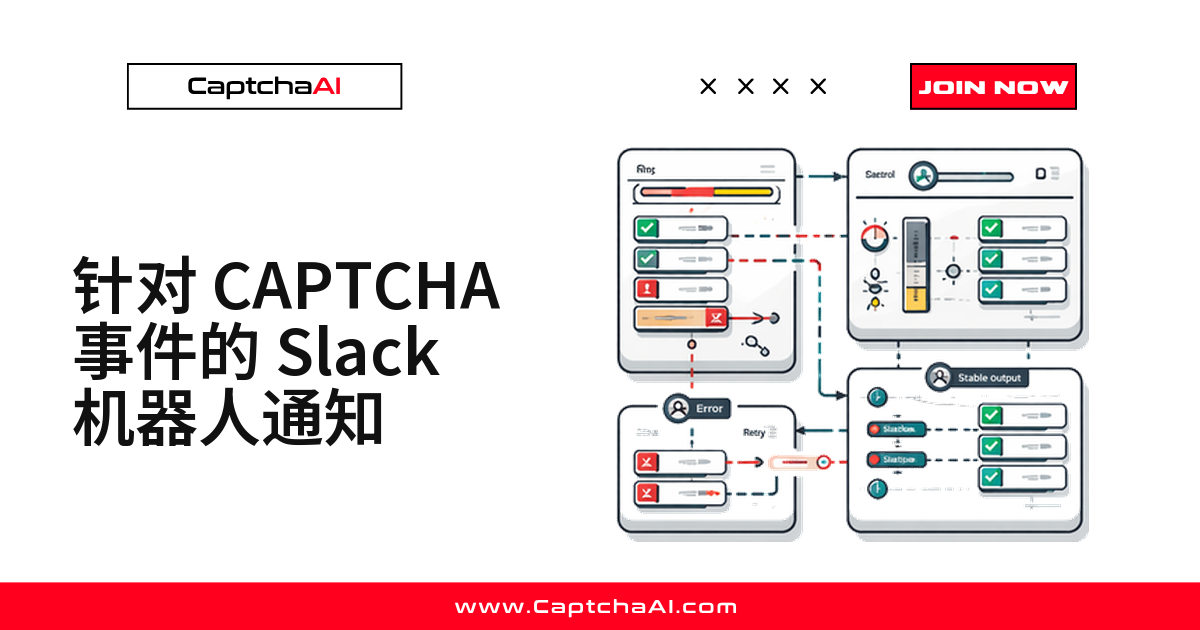
识别失败不可怕,第二天上班才发现昨晚的批量任务全跑空了才可怕。值得推到 Slack 的信号只有三类:单条任务失败、余额低于阈值、滚动窗口内错误率超标。下面用一个 Incoming Webhook 接起来,Python 与 Node.js 代码都能直接复用。
哪些 CAPTCHA 事件值得推送到 Slack
判断标准只有一条:看到这条消息,你会不会立刻动手。
| 事件 | 触发条件 | 优先级 |
|---|---|---|
| 余额不足 | 低于设定阈值 | 高 |
| 错误率超标 | 最近 50 条失败率 > 30% | 高 |
| 单条识别失败 | 返回错误码 | 中,聚合后再发 |
| 每日汇总 | 每天固定时间 | 低 |
准备工作:创建 Slack Incoming Webhook
- 打开 api.slack.com/apps,点击 Create New App
- 选择 Incoming Webhooks,打开开关
- 点击 Add New Webhook to Workspace,选好接收频道
- 复制生成的 webhook URL
这个 URL 等同于凭证,放进环境变量别进仓库;一个 URL 只绑一个频道,换频道要重新生成。
Python:通用的告警发送函数
三类告警共用一个函数。color 控制消息左侧色条,fields 会渲染成两列键值表。
import requests
import json
from datetime import datetime

SLACK_WEBHOOK_URL = "https://hooks.slack.com/services/T00/B00/xxx"


def send_slack_alert(title, message, color="#ff0000", fields=None):
    """Send a formatted Slack alert."""
    attachment = {
        "color": color,
        "title": title,
        "text": message,
        "ts": int(datetime.now().timestamp()),
    }
    if fields:
        attachment["fields"] = [
            {"title": k, "value": str(v), "short": True}
            for k, v in fields.items()
        ]

    payload = {"attachments": [attachment]}
    resp = requests.post(SLACK_WEBHOOK_URL, json=payload, timeout=10)
    return resp.status_code == 200
timeout=10 别省。Slack 偶尔响应变慢,没有超时的请求会把整条识别流程一起堵死。
告警一:识别失败要带上下文
只写“失败了”等于没写,至少带上任务 ID、验证码类型、错误码和目标页面。
def notify_solve_failure(task_id, captcha_type, error_code, site_url):
    send_slack_alert(
        title="CAPTCHA Solve Failed",
        message=f"Task `{task_id}` failed with `{error_code}`",
        color="#ff0000",
        fields={
            "Type": captcha_type,
            "Error": error_code,
            "Site": site_url,
            "Time": datetime.now().strftime("%H:%M:%S"),
        },
    )

# Use after a failed solve
result = poll_for_result(task_id)
if result.get("error"):
    notify_solve_failure(task_id, "recaptcha_v2", result["error"], "https://example.com")
ERROR_CAPTCHA_UNSOLVABLE 偶发一次属于正常波动,重试即可;同一个 sitekey 连续报 ERROR_WRONG_GOOGLEKEY 就是配置写错了。这类事件更适合按错误码聚合后再发,字段规范见结构化日志实践。
告警二:余额低于阈值就提醒
CaptchaAI 按并发线程订阅计费,套餐内识别次数不限(BASIC 套餐 $15/月,5 线程),这条告警盯的是余额够不够撑到下次续费;等接口返回 ERROR_ZERO_BALANCE,任务已经在批量失败了。
def check_balance_alert(api_key, threshold=5.0):
    """Alert when balance drops below threshold."""
    resp = requests.get("https://ocr.captchaai.com/res.php", params={
        "key": api_key, "action": "getbalance", "json": "1"
    }).json()

    balance = float(resp.get("request", 0))

    if balance < threshold:
        send_slack_alert(
            title="Low CaptchaAI Balance",
            message=f"Balance is ${balance:.2f} (threshold: ${threshold:.2f})",
            color="#ff9900",
            fields={
                "Current Balance": f"${balance:.2f}",
                "Threshold": f"${threshold:.2f}",
            },
        )
    return balance

# Run periodically
import threading

def balance_monitor(api_key, interval=300):
    """Check balance every 5 minutes."""
    check_balance_alert(api_key)
    timer = threading.Timer(interval, balance_monitor, args=[api_key, interval])
    timer.daemon = True
    timer.start()

balance_monitor("YOUR_API_KEY")
阈值别贴着日常水位设,至少留出跑完一整轮凌晨任务的余量。
告警三:滚动窗口内的错误率
单条失败不响铃,连续失败才响。定长队列保存最近 50 次结果,超过阈值才发消息,并强制冷却。
from collections import deque

class ErrorRateNotifier:
    def __init__(self, window=50, threshold=0.3, cooldown=300):
        self.results = deque(maxlen=window)
        self.threshold = threshold
        self.cooldown = cooldown
        self.last_alert = 0

    def record(self, success):
        self.results.append(success)

        if len(self.results) < 20:
            return

        error_rate = 1 - sum(self.results) / len(self.results)

        import time
        now = time.time()
        if error_rate > self.threshold and (now - self.last_alert) > self.cooldown:
            self.last_alert = now
            send_slack_alert(
                title="High CAPTCHA Error Rate",
                message=f"Error rate: {error_rate:.0%} over last {len(self.results)} tasks",
                color="#ff0000",
                fields={
                    "Error Rate": f"{error_rate:.1%}",
                    "Window": f"{len(self.results)} tasks",
                    "Threshold": f"{self.threshold:.0%}",
                },
            )

notifier = ErrorRateNotifier()

# After each solve attempt
notifier.record(success=True)   # solved
notifier.record(success=False)  # failed
threshold 从 0.3 起步,cooldown 至少 300 秒;样本不足 20 条直接返回,防的是服务刚启动时的误报。
Node.js:同一套告警接进 Node 服务
字段名和 Python 端保持一致,两边格式统一才能在 Slack 里用同一个关键词搜全。
const axios = require('axios');

const SLACK_WEBHOOK = 'https://hooks.slack.com/services/T00/B00/xxx';

async function sendSlackAlert(title, message, color = '#ff0000', fields = {}) {
  const attachment = {
    color,
    title,
    text: message,
    ts: Math.floor(Date.now() / 1000),
    fields: Object.entries(fields).map(([k, v]) => ({
      title: k, value: String(v), short: true,
    })),
  };

  await axios.post(SLACK_WEBHOOK, { attachments: [attachment] });
}

// Failure alert
async function notifySolveFailure(taskId, type, error) {
  await sendSlackAlert(
    'CAPTCHA Solve Failed',
    `Task \`${taskId}\` failed: \`${error}\``,
    '#ff0000',
    { Type: type, Error: error }
  );
}

// Balance alert
async function checkBalance(apiKey, threshold = 5.0) {
  const resp = await axios.get('https://ocr.captchaai.com/res.php', {
    params: { key: apiKey, action: 'getbalance', json: 1 },
  });
  const balance = parseFloat(resp.data.request);

  if (balance < threshold) {
    await sendSlackAlert(
      'Low CaptchaAI Balance',
      `Balance: $${balance.toFixed(2)}`,
      '#ff9900',
      { Balance: `$${balance.toFixed(2)}`, Threshold: `$${threshold.toFixed(2)}` }
    );
  }
  return balance;
}

// Periodic check
setInterval(() => checkBalance('YOUR_API_KEY'), 5 * 60 * 1000);
每日汇总:把低优先级压成一条
汇总用绿色,和红色告警在视觉上分开;成功数、失败数、平均耗时一起看趋势。
def send_daily_summary(stats):
    """Send a daily digest to Slack."""
    send_slack_alert(
        title="Daily CAPTCHA Summary",
        message=f"{stats['total']} tasks processed",
        color="#36a64f",
        fields={
            "Solved": stats["solved"],
            "Failed": stats["failed"],
            "Avg Solve Time": f"{stats['avg_time_ms']}ms",
            "Total Cost": f"${stats['total_cost']:.2f}",
            "Success Rate": f"{stats['success_rate']:.1%}",
        },
    )
长期曲线交给用量监控面板,Slack 只留当天的异常。
排错对照表
| 问题 | 原因 | 处理方式 |
|---|---|---|
| webhook 返回 403 | URL 已失效 | 回 Slack 后台重新生成 |
| 告警刷屏 | 没有冷却和分级 | 加 cooldown,低优先级并入汇总 |
| 消息延迟到达 | 请求没设超时 | 统一设 10 秒超时 |
| 频道收不到消息 | 绑定的是别的频道 | 检查 webhook 的频道配置 |
常见问题
webhook 配好了,频道却收不到消息?
用 curl 直接向该 URL 发一条 {"text":"test"}。返回 ok 说明地址没问题,故障在你的代码;invalid_payload 是消息体结构写错;404 或 403 说明 webhook 已失效,回后台重建。
余额告警的阈值设多少合适?
按续费节奏定,别拍整数。CaptchaAI 按并发线程订阅计费(如 STANDARD $30/月,15 线程),余额要能撑到下一次续费,阈值至少留出一个套餐周期的金额。续费日期也记进日历。
错误率的窗口和阈值怎么定?
低频任务从 50 条窗口、0.3 阈值起步;高频任务把窗口放大到 200 条、阈值收紧到 0.15。更稳的做法是先跑一周只记录不告警,拿到基线再定数字。
除了 Slack,还能发到哪里?
只需改发送函数。Discord 把 attachments 换成 embeds;国内团队常用的飞书、企业微信自定义机器人同样收 JSON webhook,换套消息体即可,阈值和冷却逻辑不动。
用 CaptchaAI 把识别和告警接起来
在 captchaai.com 注册拿到 API Key,先跑通一次识别,再把上面三类告警接上。