token 明明识别成功,服务器却返回验证失败——八成是域名验证没过,而不是识别环节的问题。reCAPTCHA 把每个 token 和生成它的域名绑定,域名对不上时 siteverify 会拒绝这个本该有效的 token,且没有明显报错。本文按错误现象拆解域名验证机制,给出可直接套用的排查与修复方法。
先看这三处检查点
reCAPTCHA 的域名验证卡在三个地方:
- 客户端:widget 是否加载在允许域名上
- token 生成:hostname 是否与页面来源一致
- 服务器验证:siteverify 返回的 hostname 是否匹配
reCAPTCHA 域名验证是怎么工作的
注册 reCAPTCHA 时,你要填写允许加载 widget 的域名列表(比如 example.com、www.example.com)。每次生成 token,Google 会把当前页面的 hostname 编码进 token;服务器调用 siteverify 验证时,返回的 hostname 字段就是生成 token 那一刻的真实域名:
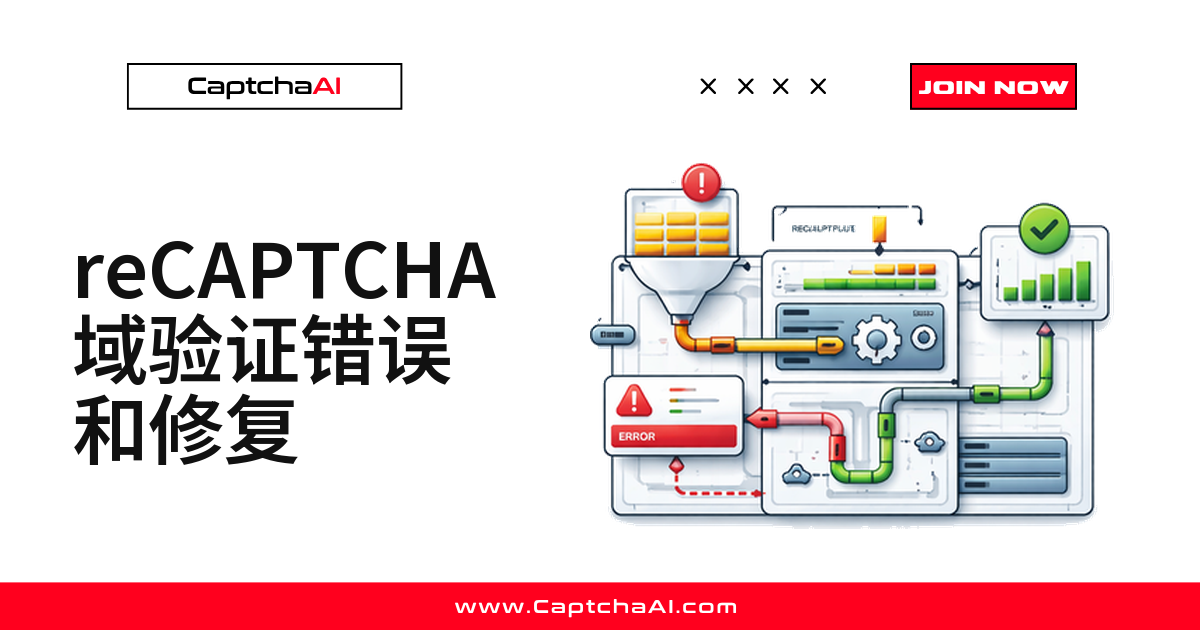
Site owner registers reCAPTCHA → adds allowed domains (example.com, www.example.com)
    ↓
reCAPTCHA widget loads on example.com → matches allowed domain ✓
    ↓
Token generated with embedded hostname
    ↓
Server validates token via siteverify API
    ↓
Google checks: Does token hostname match allowed domains?
    ├─ YES → { "success": true, "hostname": "example.com" }
    └─ NO  → { "success": false, error or hostname mismatch }
三种最常见的域名验证错误
现象一:siteverify 返回的 hostname 对不上
{
    "success": true,
    "hostname": "subdomain.example.com",
    "challenge_ts": "2025-01-15T10:30:00Z"
}
token 有效,但 hostname 和预期域名不一致,一些服务器实现会因此直接拒绝:
# Server-side validation that checks hostname
def validate_token(token, secret_key, expected_hostname):
    result = requests.post(
        "https://www.google.com/recaptcha/api/siteverify",
        data={"secret": secret_key, "response": token},
    ).json()

    if not result.get("success"):
        return False

    # This check causes failures when hostnames don't match
    if result.get("hostname") != expected_hostname:
        return False  # Domain mismatch!

    return True
常见原因:
- 在
www.example.com上识别的 token,拿到example.com上验证 - 在
staging.example.com上识别的 token,拿到example.com上验证 - 反向代理或 CDN 改写了 Host(阿里云、腾讯云边缘节点后尤其常见)
修复方法: 确保 pageurl 与提交域名完全一致。
现象二:widget 直接拒绝加载
reCAPTCHA widget 报错,或者干脆不渲染:
ERROR: Invalid domain for site key
常见原因:
- site key 允许的域名列表里没有当前页面的域名
- 用 localhost 或
file://协议加载 widget - 用 IP 地址代替域名访问页面
这是网站所有者的配置问题,脚本只需保证 pageurl 落在允许域名内。
现象三:明明识别正确,token 还是被拒绝
{
    "success": false,
    "error-codes": ["invalid-input-response"]
}
token 是为另一个域名生成的。常见原因: 发给识别接口的 pageurl 和目标域名不一致:
# WRONG: pageurl doesn't match actual target
submit = requests.post("https://ocr.captchaai.com/in.php", data={
    "key": API_KEY,
    "method": "userrecaptcha",
    "googlekey": sitekey,
    "pageurl": "https://staging.example.com/qa-login",  # ← Must match actual domain
    "json": 1,
})

# But submitting token to:
requests.post("https://app.staging.example.com/qa-login", ...)  # Different subdomain!
排查经验:国内 CDN(阿里云、腾讯云)或反向代理容易改写 Host,这是最容易被忽略的一种。
常见问题
赶时间就先看这几条,细节见后文。
部署在阿里云、腾讯云 CDN 后面,为什么经常报 hostname 不匹配?
CDN 边缘节点转发时,有时会改写或丢失原始 Host 头,siteverify 拿到的 hostname 就和地址栏不一致。先检查 CDN 回源是否透传原始 Host,再核对 pageurl 与实际域名。
一个域名下识别成功的 token,可以在别的域名上用吗?
不可以。token 只绑定生成它的域名,example.com 上的 token 换到 other-site.com 提交必然失败;严格校验 hostname 时,连子域名互换也可能失败。
本地测试时 token 正常,上线后却总是被拒绝,为什么?
常见原因:本地用 localhost,规则和线上不同;线上多了 CDN 或负载均衡,siteverify 返回的 hostname 变了;线上校验通常更严格;测试机和线上服务器网络出口也可能不同。
多个子域名共用一个 site key,pageurl 该怎么填?
按 token 实际生成的子域名填,不要统一填主域名。比如 app.example.com 上识别出的 token,pageurl 就填 https://app.example.com/...,而不是 example.com。
Turnstile 或 GeeTest 也有同样的域名绑定问题吗?
思路相通。Turnstile 和 GeeTest v3 也会把 sitekey(或 gt)和注册域名绑定,验证失败先核对 pageurl 是否一致,往往能排除大半问题。
域名到底怎么算匹配
精确匹配还是通配符
reCAPTCHA 默认不是严格按子域名匹配,取决于站点所有者的后台配置:
- 注册
example.com→example.com、www.example.com、sub.example.com都能通过(开启通配符时) - 注册
www.example.com→ 仅www.example.com本身能通过(严格模式下) - 注册
*.example.com→example.com下的任意子域名都能通过 - 注册
localhost→ 仅localhost能通过(用于本地开发)
服务器该怎么处理 hostname
hostname 是生成 token 的页面域名,接受与否由服务器决定——宽松校验允许任意子域名,严格校验要求完全一致:
# Permissive validation (accepts any subdomain)
def validate_permissive(token, secret, base_domain):
    result = requests.post(
        "https://www.google.com/recaptcha/api/siteverify",
        data={"secret": secret, "response": token},
    ).json()

    if not result.get("success"):
        return False

    hostname = result.get("hostname", "")
    return hostname == base_domain or hostname.endswith(f".{base_domain}")


# Strict validation (exact match only)
def validate_strict(token, secret, expected_hostname):
    result = requests.post(
        "https://www.google.com/recaptcha/api/siteverify",
        data={"secret": secret, "response": token},
    ).json()

    return result.get("success") and result.get("hostname") == expected_hostname
经验法则:拿不准精确匹配还是通配符,先用宽松校验起步,再按报错收紧。
四种自动化里的修复方法
方法一:让 pageurl 精确匹配目标域名
最有效的修复:确保 pageurl 与提交域名一致:
# Correct: pageurl matches where you'll submit the token
target_url = "https://www.staging.example.com/qa-login"

submit = requests.post("https://ocr.captchaai.com/in.php", data={
    "key": API_KEY,
    "method": "userrecaptcha",
    "googlekey": "6LcR_RsTAAAAAN_r0GEkGBfq3L7KmU5JbPHJtwNp",
    "pageurl": target_url,  # Must match the actual domain
    "json": 1,
})
方法二:处理 www 与非 www 的差异
from urllib.parse import urlparse

def normalize_url(url):
    """Normalize URL for consistent domain matching."""
    parsed = urlparse(url)
    # Use exactly what the target site uses
    # Check if the site redirects www → non-www or vice versa
    return f"{parsed.scheme}://{parsed.netloc}{parsed.path}"

# Test which variant the site uses
response = requests.get("https://staging.example.com/qa-login", allow_redirects=True)
actual_url = response.url  # May be https://www.staging.example.com/qa-login after redirect
方法三:跟着重定向链找到真实域名
有些站点会多次跳转,最终域名和最初访问的不同:
def get_final_url(url):
    """Follow redirects to find the actual CAPTCHA page domain."""
    response = requests.get(url, allow_redirects=True, timeout=15)
    return response.url

# Login URL might redirect:
# https://staging.example.com/qa-login → https://auth.staging.example.com/qa-login
final_url = get_final_url("https://staging.example.com/qa-login")
# Use final_url as pageurl for solver
方法四:从 reCAPTCHA 回调地址里提取域名
from bs4 import BeautifulSoup
from urllib.parse import urlparse

def extract_recaptcha_domain(html, page_url):
    """Extract the domain reCAPTCHA uses for token binding."""
    soup = BeautifulSoup(html, "html.parser")

    # Check for reCAPTCHA iframe
    iframe = soup.find("iframe", src=lambda s: s and "recaptcha" in s)
    if iframe:
        src = iframe.get("src", "")
        # The iframe URL may contain the domain parameter
        if "domain=" in src:
            # Extract domain from iframe URL
            pass

    # Default: use the page URL's domain
    return urlparse(page_url).netloc
小结:方法一通常已经够用,其余三种方法应对更复杂的重定向场景。
动手改代码前,先跑一遍诊断脚本
四种方法都要求先知道真实域名,不如先用脚本把重定向链和 www 变体跑一遍:
import requests
from urllib.parse import urlparse

class DomainDiagnostic:
    """Diagnose domain verification issues for reCAPTCHA solving."""

    def __init__(self, target_url):
        self.target_url = target_url
        self.issues = []

    def check_redirects(self):
        """Check if the URL redirects to a different domain."""
        try:
            response = requests.get(
                self.target_url, allow_redirects=True, timeout=15,
                headers={"User-Agent": "Mozilla/5.0 Chrome/120.0.0.0"},
            )
            final_url = response.url
            original_domain = urlparse(self.target_url).netloc
            final_domain = urlparse(final_url).netloc

            if original_domain != final_domain:
                self.issues.append({
                    "type": "redirect",
                    "message": f"Redirects from {original_domain} to {final_domain}",
                    "fix": f"Use pageurl: {final_url}",
                })

            return final_url
        except Exception as e:
            self.issues.append({"type": "error", "message": str(e)})
            return self.target_url

    def check_www_variant(self):
        """Check if www and non-www point to the same content."""
        parsed = urlparse(self.target_url)
        domain = parsed.netloc

        if domain.startswith("www."):
            alt_domain = domain[4:]
        else:
            alt_domain = f"www.{domain}"

        alt_url = self.target_url.replace(domain, alt_domain)

        try:
            alt_response = requests.get(alt_url, allow_redirects=True, timeout=10)
            alt_final = urlparse(alt_response.url).netloc

            if alt_final != domain and alt_final != alt_domain:
                self.issues.append({
                    "type": "www_redirect",
                    "message": f"{alt_domain} redirects to {alt_final}",
                })
        except Exception:
            pass

    def report(self):
        """Generate diagnostic report."""
        final_url = self.check_redirects()
        self.check_www_variant()

        print(f"Target URL: {self.target_url}")
        print(f"Final URL:  {final_url}")
        print(f"Use as pageurl: {final_url}")

        if self.issues:
            print("\nIssues found:")
            for issue in self.issues:
                print(f"  [{issue['type']}] {issue['message']}")
                if "fix" in issue:
                    print(f"  Fix: {issue['fix']}")
        else:
            print("\nNo domain issues detected.")


# Usage
diag = DomainDiagnostic("https://staging.example.com/qa-login")
diag.report()
跑一遍就能分清是验证逻辑问题还是网络链路问题。
提示:API Key 放环境变量,不要写死在脚本里。
故障排查对照表
| 现象 | 可能原因 | 怎么诊断 | 怎么处理 |
|---|---|---|---|
| token 一直被拒绝 | pageurl 和目标域名不一致 | 把识别接口用的 pageurl 和实际提交域名做对比 | 更新 pageurl,让两者一致 |
| www 能过、非 www 不行 | 域名变体不一致 | 检查重定向行为 | 跟着重定向,使用目标站点实际用的那个变体 |
| 有时候过、有时候不过 | CDN 或负载均衡返回的域名不固定 | 检查域名是否随请求变化 | 统一用重定向链里那个稳定的 URL |
| 浏览器里能过、脚本里不行 | 脚本请求来源和浏览器不一致 | 对比浏览器地址栏和脚本里的 pageurl | 让脚本用浏览器最终停留的那个 URL |
| Enterprise token 被拒 | 项目或域名绑定错了 | 核对 Enterprise site key 绑定的域名 | 去 Enterprise 控制台检查域名配置 |
总结
reCAPTCHA 域名验证的本质,是把 token 和生成它的 hostname 绑在一起。自动化脚本最常踩的坑,是发给 CaptchaAI 识别接口的 pageurl 和最终提交域名对不上。跟着重定向链找真实域名、处理好 www 差异,先诊断再改代码,基本能覆盖本文场景。
相关文章
- 用 API 解决 reCAPTCHA v2 回调型验证码
- reCAPTCHA v2 与 Turnstile 同站处理技巧
- 九宫格图片验证码常见错误与修复