同时给三个客户跑抓取任务,验证码代码却写了三份——这是很多 agency 和自由职业者绕不开的坑。真正省事的做法不是给每个新项目单独写一套识别逻辑,而是搭一条可复用的验证码识别管道:接收任务、排队、调度给 CaptchaAI、把 token 交还给对应的客户端。本文按这个思路,给出可以直接搬进项目的架构和代码。
整体架构:任务如何从客户流向 CaptchaAI
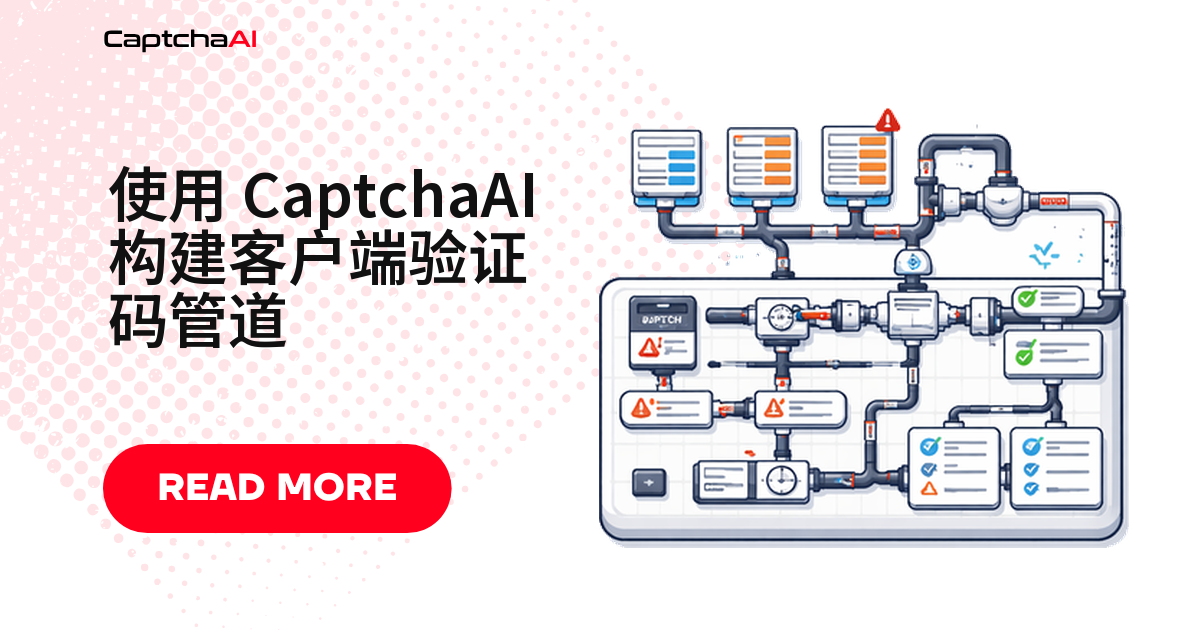
这套管道分 4 个环节:
- 任务接入 —— 从各客户端的抓取脚本收任务
- 队列层 —— 缓冲请求,同时限制每个客户的并发数
- 求解 worker —— 提交到 CaptchaAI,轮询拿结果
- 结果存储 —— 保存 token,供各客户端取回
┌──────────────┐    ┌───────────────┐    ┌──────────────┐
│  Client A    │──▶ │               │    │              │
│  Client B    │──▶ │  Task Queue   │──▶ │  CaptchaAI   │
│  Client C    │──▶ │               │    │  API         │
└──────────────┘    └───────────────┘    └──────────────┘
                           │                    │
                           ▼                    ▼
                    ┌───────────────┐    ┌──────────────┐
                    │  Result Store │◀── │  Polling      │
                    │  (Redis/DB)   │    │  Workers      │
                    └───────────────┘    └──────────────┘
用 Python 实现管道
如果 pip install requests 在国内网络下比较慢,可以加上镜像参数:pip install -i https://pypi.tuna.tsinghua.edu.cn/simple requests。
核心类:提交任务 + 轮询结果
下面这个 CaptchaPipeline 类封装了入队、提交、轮询三件事,可以直接照抄进项目:
import requests
import time
from dataclasses import dataclass
from typing import Optional
from collections import deque
from threading import Lock

SUBMIT_URL = "https://ocr.captchaai.com/in.php"
RESULT_URL = "https://ocr.captchaai.com/res.php"

@dataclass
class SolveRequest:
    client_id: str
    method: str
    params: dict
    callback: Optional[callable] = None

@dataclass
class SolveResult:
    client_id: str
    task_id: str
    token: Optional[str] = None
    error: Optional[str] = None


class CaptchaPipeline:
    def __init__(self, api_key: str, max_concurrent: int = 10):
        self.api_key = api_key
        self.max_concurrent = max_concurrent
        self.queue = deque()
        self.active = {}
        self.lock = Lock()

    def enqueue(self, request: SolveRequest):
        with self.lock:
            self.queue.append(request)

    def submit_task(self, request: SolveRequest) -> Optional[str]:
        data = {
            "key": self.api_key,
            "method": request.method,
            "json": 1,
            **request.params
        }

        try:
            resp = requests.post(SUBMIT_URL, data=data, timeout=15)
            result = resp.json()

            if result.get("status") == 1:
                return result["request"]
            else:
                print(f"[{request.client_id}] Submit error: {result.get('error_text', result.get('request'))}")
                return None
        except requests.RequestException as e:
            print(f"[{request.client_id}] Network error: {e}")
            return None

    def poll_result(self, task_id: str, max_wait: int = 120) -> Optional[str]:
        elapsed = 0
        interval = 5
        while elapsed < max_wait:
            time.sleep(interval)
            elapsed += interval

            try:
                resp = requests.get(RESULT_URL, params={
                    "key": self.api_key,
                    "action": "get",
                    "id": task_id,
                    "json": 1
                }, timeout=10)
                result = resp.json()

                if result.get("status") == 1:
                    return result["request"]
                elif result.get("request") == "CAPCHA_NOT_READY":
                    continue
                else:
                    print(f"Poll error for {task_id}: {result.get('error_text', result.get('request'))}")
                    return None
            except requests.RequestException:
                continue

        return None

    def process_queue(self):
        while self.queue or self.active:
            # Fill active slots
            with self.lock:
                while self.queue and len(self.active) < self.max_concurrent:
                    request = self.queue.popleft()
                    task_id = self.submit_task(request)
                    if task_id:
                        self.active[task_id] = request

            # Poll active tasks
            completed = []
            for task_id, request in list(self.active.items()):
                token = self.poll_result(task_id, max_wait=10)
                if token:
                    result = SolveResult(
                        client_id=request.client_id,
                        task_id=task_id,
                        token=token
                    )
                    if request.callback:
                        request.callback(result)
                    completed.append(task_id)

            with self.lock:
                for task_id in completed:
                    del self.active[task_id]
两个客户同时跑:reCAPTCHA v2 + Turnstile
假设你手上有两个客户:A 要过 reCAPTCHA v2,B 要过 Turnstile。用上面的类可以这样把两个任务丢进同一个队列:
pipeline = CaptchaPipeline(api_key="YOUR_API_KEY", max_concurrent=15)

# Client A — reCAPTCHA v2
pipeline.enqueue(SolveRequest(
    client_id="client_a",
    method="userrecaptcha",
    params={
        "googlekey": "6Le-SITEKEY-A",
        "pageurl": "https://client-a-staging.example.com/qa-form"
    },
    callback=lambda r: print(f"[{r.client_id}] Solved: {r.token[:40]}...")
))

# Client B — Turnstile
pipeline.enqueue(SolveRequest(
    client_id="client_b",
    method="turnstile",
    params={
        "sitekey": "0x4AAAA-SITEKEY-B",
        "pageurl": "https://client-b-target.com/login"
    },
    callback=lambda r: print(f"[{r.client_id}] Solved: {r.token[:40]}...")
))

pipeline.process_queue()
如果你的技术栈是 Node.js
Python 不是唯一选项。下面是同一套逻辑用 Node.js 重写的版本,接口和错误处理保持一致,方便技术栈混合的团队直接复用:
const axios = require("axios");

const SUBMIT_URL = "https://ocr.captchaai.com/in.php";
const RESULT_URL = "https://ocr.captchaai.com/res.php";

class CaptchaPipeline {
  constructor(apiKey, maxConcurrent = 10) {
    this.apiKey = apiKey;
    this.maxConcurrent = maxConcurrent;
    this.queue = [];
    this.activeCount = 0;
  }

  enqueue(clientId, method, params) {
    return new Promise((resolve, reject) => {
      this.queue.push({ clientId, method, params, resolve, reject });
      this._processNext();
    });
  }

  async _processNext() {
    if (this.activeCount >= this.maxConcurrent || this.queue.length === 0) return;

    this.activeCount++;
    const task = this.queue.shift();

    try {
      const token = await this._solve(task);
      task.resolve({ clientId: task.clientId, token });
    } catch (err) {
      task.reject(err);
    } finally {
      this.activeCount--;
      this._processNext();
    }
  }

  async _solve(task) {
    const submitResp = await axios.post(SUBMIT_URL, null, {
      params: {
        key: this.apiKey,
        method: task.method,
        json: 1,
        ...task.params,
      },
      timeout: 15000,
    });

    if (submitResp.data.status !== 1) {
      throw new Error(submitResp.data.error_text || submitResp.data.request);
    }

    const taskId = submitResp.data.request;
    return this._poll(taskId);
  }

  async _poll(taskId, maxWait = 120000) {
    const interval = 5000;
    let elapsed = 0;

    while (elapsed < maxWait) {
      await new Promise((r) => setTimeout(r, interval));
      elapsed += interval;

      try {
        const resp = await axios.get(RESULT_URL, {
          params: {
            key: this.apiKey,
            action: "get",
            id: taskId,
            json: 1,
          },
          timeout: 10000,
        });

        if (resp.data.status === 1) return resp.data.request;
        if (resp.data.request !== "CAPCHA_NOT_READY") {
          throw new Error(resp.data.error_text || resp.data.request);
        }
      } catch (err) {
        if (err.response) throw err;
      }
    }

    throw new Error(`Timeout waiting for task ${taskId}`);
  }
}

// Usage
(async () => {
  const pipeline = new CaptchaPipeline("YOUR_API_KEY", 15);

  const results = await Promise.allSettled([
    pipeline.enqueue("client_a", "userrecaptcha", {
      googlekey: "6Le-SITEKEY-A",
      pageurl: "https://client-a-staging.example.com/qa-form",
    }),
    pipeline.enqueue("client_b", "turnstile", {
      sitekey: "0x4AAAA-SITEKEY-B",
      pageurl: "https://client-b-target.com/login",
    }),
  ]);

  results.forEach((r) => {
    if (r.status === "fulfilled") {
      console.log(`[${r.value.clientId}] Token: ${r.value.token.slice(0, 40)}...`);
    } else {
      console.error(`Failed: ${r.reason.message}`);
    }
  });
})();
按客户维护差异化配置
不同客户往往需要不同代理、不同并发上限,甚至不同的默认验证码类型。把这些差异集中放进一张配置表,比散落在业务代码各处更好维护:
CLIENT_CONFIG = {
    "client_a": {
        "proxy": "host:port:user:pass",
        "proxytype": "HTTP",
        "max_concurrent": 5,
        "default_method": "userrecaptcha"
    },
    "client_b": {
        "proxy": None,
        "proxytype": None,
        "max_concurrent": 10,
        "default_method": "turnstile"
    }
}

def build_params(client_id, params):
    config = CLIENT_CONFIG.get(client_id, {})
    if config.get("proxy"):
        params["proxy"] = config["proxy"]
        params["proxytype"] = config["proxytype"]
    return params
举个例子:如果你同时服务 3 个跨境电商客户,合计并发量在 30–40 之间,一个 ADVANCE 套餐($90/月,50 线程,每个线程识别次数不限)就够用,不用再为“这个月哪个客户识别多了要不要额外扣费”纠结——CaptchaAI 是按线程数计费,不是按识别次数计费。
常见错误码该怎么应对
ERROR_ZERO_BALANCE—— 停止队列,通知所有客户ERROR_NO_SLOT_AVAILABLE—— 延迟后重新入队ERROR_WRONG_CAPTCHA_ID—— 丢弃,记录日志ERROR_CAPTCHA_UNSOLVABLE—— 重试一次,仍失败就放弃- 网络超时 —— 指数退避重试(最多 3 次)
故障排查清单
| 现象 | 原因 | 处理方式 |
|---|---|---|
| 队列长度只增不减 | 活动插槽已占满 | 提高 max_concurrent 或增加 worker 数量 |
| 回调没触发 | 任务静默失败 | 检查轮询循环里的错误分支 |
| 不同客户端的 token 串号 | 结果存储只用了单一 ID 做 key | 改用 client_id + task_id 复合 key |
| 429 限流错误 | 并发提交过多 | 降低并发数,加大提交间隔 |
常见问题
每个客户端的并发数该怎么设?
从 5–10 开始跑,观察识别耗时和错误率再往上调。CaptchaAI 本身能扛住较高并发,真正的瓶颈通常是你的代理池,不是 API。
队列里混着 reCAPTCHA v2 和 Turnstile 任务,会互相拖慢吗?
不会。不同 method 提交的任务在 CaptchaAI 那边各自处理,互不排队;管道这边只要按 max_concurrent 控制总并发即可,不需要按验证码类型分别限流。
不同客户的 token 串号了,怎么排查?
先看结果存储的 key 是不是只用了 task_id。多客户场景下必须用 client_id + task_id 复合 key,否则并发一高确实会串。
服务重启,队列里没跑完的任务会丢吗?
如果队列只存在内存里,会丢。用 Redis 或数据库持久化任务状态,重启后先重新加载未完成的任务,再继续处理。
队列积压严重时,怎么知道该加 worker 了?
盯两个指标就够:队列长度和平均等待时间。如果队列长度持续上涨、等待时间超出你的 SLA,就该加 worker,或者换一个线程数更高的套餐。
现在就把这套管道接进你的项目
先挑一个客户的项目跑通整条链路,再逐步接入其他客户。注册 CaptchaAI 开始测试。
相关指南
- 并行验证码识别怎么做
- 重试逻辑怎么写
- 用 Redis 做分布式队列
- 健康检查监控脚本怎么搭