多数情况下,你不需要关心 anchor、bframe 这两个 iframe——sitekey 和 pageurl 交给 CaptchaAI 就够了。真正用得上的,只有这几种边缘场景:
- sitekey 冲突或动态注入
- 页面懒加载未渲染
- token 被拒,需核对参数
下面讲参数含义、三种提取写法,以及何时才值得动手。
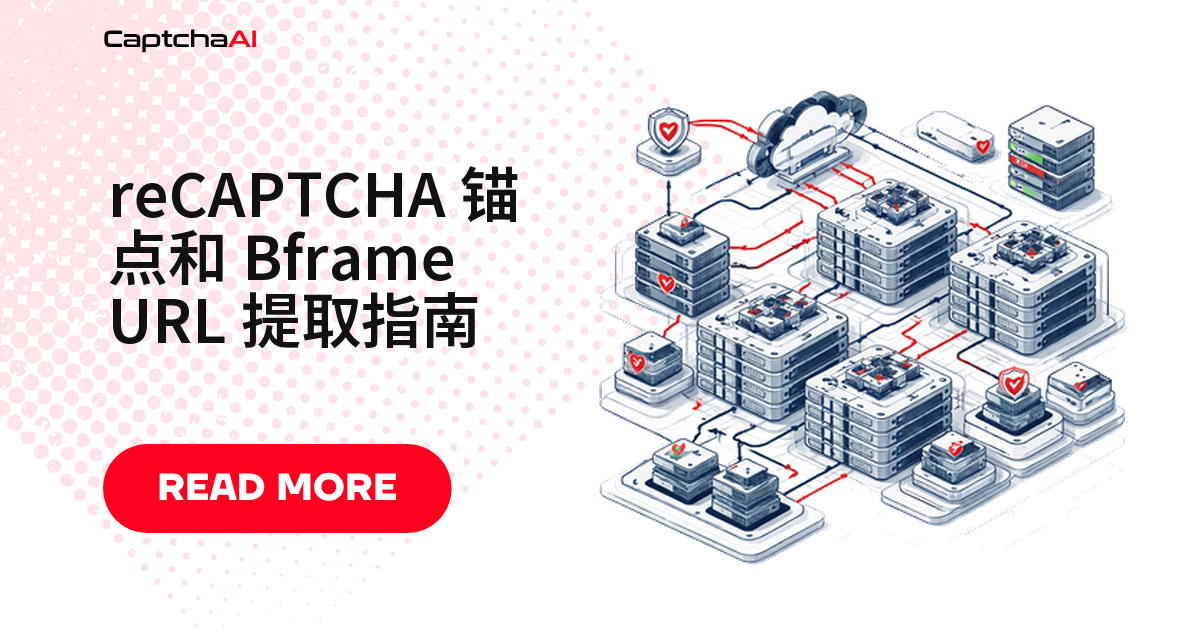
reCAPTCHA iframe 架构
Target page (staging.example.com/qa-login)
    └── <iframe src="https://www.google.com/recaptcha/api2/anchor?...">
        │   ← Anchor iframe: "I'm not a robot" checkbox
        │
        └── <iframe src="https://www.google.com/recaptcha/api2/bframe?...">
                ← Bframe iframe: Image challenge grid (loads when clicked)
锚点 iframe
锚点 iframe 承载复选框和风险评分:
https://www.google.com/recaptcha/api2/anchor?
    ar=1
    &k=6LcR_RsTAAAAAN_r0GEkGBfq3L7KmU5JbPHJtwNp  ← site key
    &co=aHR0cHM6Ly9leGFtcGxlLmNvbTo0NDM.           ← encoded origin
    &hl=en                                           ← language
    &v=jF2Zb_rr_5sv8dMHoGIn-XxY                    ← reCAPTCHA version
    &size=normal                                     ← widget size
    &cb=89fu2pf0swif                                ← callback ID
bframe iframe
bframe iframe 装载图像挑战,点击后才加载:
https://www.google.com/recaptcha/api2/bframe?
    hl=en
    &v=jF2Zb_rr_5sv8dMHoGIn-XxY
    &k=6LcR_RsTAAAAAN_r0GEkGBfq3L7KmU5JbPHJtwNp
国内网络访问
google.com不稳定时,anchor iframe 也可能加载缓慢或超时——先排除网络问题,再查站点密钥配置。
锚点 URL 参数速查
关键三个参数:
k——站点密钥co——编码来源,核对域名v——版本哈希,一般可忽略
参数表:
| 参数 | 名称 | 描述 |
|---|---|---|
k |
站点密钥 | reCAPTCHA 站点密钥 |
co |
编码来源 | Base64 编码(协议 + 域名 + 端口) |
v |
版本 | reCAPTCHA JS 包版本哈希 |
hl |
语言 | 挑战语言代码 |
size |
尺寸 | normal、compact 或 invisible |
cb |
回调 | 回调函数标识符 |
theme |
主题 | light 或 dark |
ar |
宽高比 | 宽高比标志 |
解码 co 参数
co 是 base64 编码的来源:
import base64

co_value = "aHR0cHM6Ly9leGFtcGxlLmNvbTo0NDM."
# Remove trailing period (padding artifact)
decoded = base64.b64decode(co_value.rstrip(".") + "==").decode()
print(decoded)  # "https://example.com:443"
解码后就能看出 reCAPTCHA 配置的目标域名。
Python、Node.js、Selenium:三种提取方法
思路一致:抓 src,解析出 k、v、co。怎么选:
- 静态页面:Python/Node.js
- Node.js 栈:axios + cheerio
- 需要交互:Selenium
Python:从页面源码提取
import requests
from bs4 import BeautifulSoup
from urllib.parse import urlparse, parse_qs
import re
import base64

def extract_recaptcha_iframes(url):
    """Extract reCAPTCHA anchor and bframe iframe URLs and parameters."""
    headers = {
        "User-Agent": "Mozilla/5.0 (Windows NT 10.0; Win64; x64) "
                      "AppleWebKit/537.36 (KHTML, like Gecko) "
                      "Chrome/120.0.0.0 Safari/537.36",
    }

    response = requests.get(url, headers=headers, timeout=15)
    soup = BeautifulSoup(response.text, "html.parser")

    result = {
        "anchor_url": None,
        "bframe_url": None,
        "site_key": None,
        "origin": None,
        "version": None,
        "language": None,
    }

    # Find anchor iframe
    anchor_iframe = soup.find("iframe", src=re.compile(r"recaptcha.*anchor"))
    if anchor_iframe:
        anchor_url = anchor_iframe.get("src", "")
        result["anchor_url"] = anchor_url

        # Parse parameters
        parsed = urlparse(anchor_url)
        params = parse_qs(parsed.query)

        result["site_key"] = params.get("k", [None])[0]
        result["version"] = params.get("v", [None])[0]
        result["language"] = params.get("hl", [None])[0]

        # Decode origin
        co = params.get("co", [None])[0]
        if co:
            try:
                padded = co.rstrip(".") + "=="
                result["origin"] = base64.b64decode(padded).decode()
            except Exception:
                result["origin"] = co

    # Find bframe iframe (may not be in source — loaded dynamically)
    bframe_iframe = soup.find("iframe", src=re.compile(r"recaptcha.*bframe"))
    if bframe_iframe:
        result["bframe_url"] = bframe_iframe.get("src", "")

    # Construct bframe URL from anchor parameters if not found
    if not result["bframe_url"] and result["site_key"] and result["version"]:
        result["bframe_url"] = (
            f"https://www.google.com/recaptcha/api2/bframe?"
            f"hl={result['language'] or 'en'}"
            f"&v={result['version']}"
            f"&k={result['site_key']}"
        )

    return result

iframes = extract_recaptcha_iframes("https://staging.example.com/qa-login")
print(f"Site key: {iframes['site_key']}")
print(f"Origin: {iframes['origin']}")
print(f"Anchor URL: {iframes['anchor_url']}")
Node.js:同样的思路搬到 JS
const axios = require("axios");
const cheerio = require("cheerio");
const { URL } = require("url");

async function extractRecaptchaIframes(pageUrl) {
    const { data: html } = await axios.get(pageUrl, {
        headers: {
            "User-Agent":
                "Mozilla/5.0 (Windows NT 10.0; Win64; x64) " +
                "AppleWebKit/537.36 Chrome/120.0.0.0 Safari/537.36",
        },
        timeout: 15000,
    });

    const $ = cheerio.load(html);
    const result = {
        anchorUrl: null,
        bframeUrl: null,
        siteKey: null,
        origin: null,
        version: null,
    };

    // Find anchor iframe
    const anchorIframe = $("iframe[src*='recaptcha'][src*='anchor']");
    if (anchorIframe.length) {
        const src = anchorIframe.attr("src");
        result.anchorUrl = src;

        const url = new URL(src);
        result.siteKey = url.searchParams.get("k");
        result.version = url.searchParams.get("v");

        // Decode origin
        const co = url.searchParams.get("co");
        if (co) {
            try {
                result.origin = Buffer.from(
                    co.replace(/\.$/, ""), "base64"
                ).toString();
            } catch {}
        }
    }

    // Construct bframe URL
    if (result.siteKey && result.version) {
        result.bframeUrl =
            `https://www.google.com/recaptcha/api2/bframe?` +
            `hl=en&v=${result.version}&k=${result.siteKey}`;
    }

    return result;
}

extractRecaptchaIframes("https://staging.example.com/qa-login").then(console.log);
Selenium 提取:应对动态渲染的页面
bframe 要等复选框被点击才由 JavaScript 动态插入 DOM,静态抓取拿不到:
requests/axios只能拿到首屏 HTML- 得真正点击一次,才会插入 DOM
from selenium import webdriver
from selenium.webdriver.common.by import By
import time

def extract_iframes_selenium(url):
    """Extract reCAPTCHA iframe URLs from a dynamically loaded page."""
    driver = webdriver.Chrome()
    driver.get(url)
    time.sleep(3)  # Wait for reCAPTCHA to load

    result = {"anchor_url": None, "bframe_url": None}

    # Find all iframes
    iframes = driver.find_elements(By.TAG_NAME, "iframe")

    for iframe in iframes:
        src = iframe.get_attribute("src") or ""
        if "recaptcha" in src and "anchor" in src:
            result["anchor_url"] = src
        elif "recaptcha" in src and "bframe" in src:
            result["bframe_url"] = src

    driver.quit()
    return result
什么时候才真正需要 anchor/bframe URL
多数流程用不上锚点或 bframe URL——标准 API 只要 sitekey 和 pageurl。用得上的只有四类:
- 核实站点密钥
- 判断 reCAPTCHA 版本
- 核对域名来源
- 排查 token 被拒
四种典型场景
1. 核实实际生效的站点密钥
- 页面有多个 reCAPTCHA 实例
- 站点密钥动态加载
# Extract sitekey from anchor URL when it's not in the page HTML
iframes = extract_recaptcha_iframes(url)
sitekey = iframes["site_key"]  # Reliably present in the iframe URL
2. 判断 reCAPTCHA 具体是哪个版本
路径自带版本信息:
# The anchor URL reveals the exact reCAPTCHA version
if "/api2/anchor" in anchor_url:
    recaptcha_type = "v2"
elif "/enterprise/anchor" in anchor_url:
    recaptcha_type = "enterprise"
3. 对齐域名强校验场景下的来源
# Decode the origin from the co parameter
origin = decode_co_parameter(iframes["co"])
# Use this origin as the pageurl for the solver
4. 排查 token 被拒绝的原因
把锚点参数和求解请求逐项对比:
- sitekey 不一致:
k与googlekey - 域名不一致:
co解码结果与pageurl
def debug_solve_params(anchor_url, solver_pageurl, solver_sitekey):
    """Compare anchor params with solver request to find mismatches."""
    parsed = urlparse(anchor_url)
    params = parse_qs(parsed.query)

    issues = []

    # Check sitekey
    anchor_key = params.get("k", [None])[0]
    if anchor_key != solver_sitekey:
        issues.append(f"Sitekey mismatch: anchor={anchor_key}, solver={solver_sitekey}")

    # Check origin
    co = params.get("co", [None])[0]
    if co:
        origin = base64.b64decode(co.rstrip(".") + "==").decode()
        solver_parsed = urlparse(solver_pageurl)
        solver_origin = f"{solver_parsed.scheme}://{solver_parsed.netloc}"
        if origin != solver_origin:
            issues.append(f"Origin mismatch: anchor={origin}, solver={solver_origin}")

    return issues if issues else ["No mismatches found"]
标准求解方式(推荐先用这个)
跳过 iframe 提取,直接把这两个参数丢给 CaptchaAI 求解就够了:
googlekey:即kpageurl:页面地址
import requests
import time

API_KEY = "YOUR_API_KEY"

# All you need: sitekey + pageurl
submit = requests.post("https://ocr.captchaai.com/in.php", data={
    "key": API_KEY,
    "method": "userrecaptcha",
    "googlekey": "6LcR_RsTAAAAAN_r0GEkGBfq3L7KmU5JbPHJtwNp",
    "pageurl": "https://staging.example.com/qa-login",
    "json": 1,
})

task_id = submit.json()["request"]

for _ in range(60):
    time.sleep(5)
    result = requests.get("https://ocr.captchaai.com/res.php", params={
        "key": API_KEY,
        "action": "get",
        "id": task_id,
        "json": 1,
    }).json()

    if result.get("status") == 1:
        token = result["request"]
        print(f"Token: {token[:50]}...")
        break
标准求解失败,且原因指向站点密钥或域名时,才值得做 anchor/bframe 提取排查。
常见问题
提取 anchor/bframe URL 是必须的一步吗?
不是。CaptchaAI 只需要 sitekey 和 pageurl,anchor/bframe 交互求解器内部处理,不提取也能求解。
bframe iframe 为什么在页面源码里找不到?
它由 reCAPTCHA 的 JS 在点击复选框触发质询后动态插入 DOM,初始 HTML 里没有——得用 Selenium 或 Puppeteer 交互一次才能拿到。
提取到的 sitekey 和页面上看到的不一致,怎么排查?
先确认页面是否有多个实例,或 sitekey 是否运行时注入——两种情况都以 anchor 里的 k 为准。
reCAPTCHA v3 也会生成 anchor/bframe iframe 吗?
不会,至少界面上看不到——v3 是纯打分机制,没有复选框和图像挑战,/api2/anchor 与 /enterprise/anchor 只用于区分 v2 与 v2 Enterprise。
国内网络访问不了 google.com,会影响 anchor iframe 提取吗?
会。reCAPTCHA 托管在 Google 域名下,国内加载失败或超时常见,是网络问题非配置错误,换个可访问 Google 的环境排除即可。
总结
reCAPTCHA 由 anchor(复选框)和 bframe(图像挑战)组成,URL 带站点密钥、来源和版本哈希。
用 CaptchaAI 标准求解只需要 sitekey 和 pageurl,不用提取 iframe URL。
- 该跳过:标准求解正常时
- 该提取:token 被拒或 sitekey 冲突时
相关文章
- 用 API 解决 reCAPTCHA v2 回调型验证码
- reCAPTCHA v2 与 Turnstile 同站点处理方案
- reCAPTCHA v2 回调机制详解