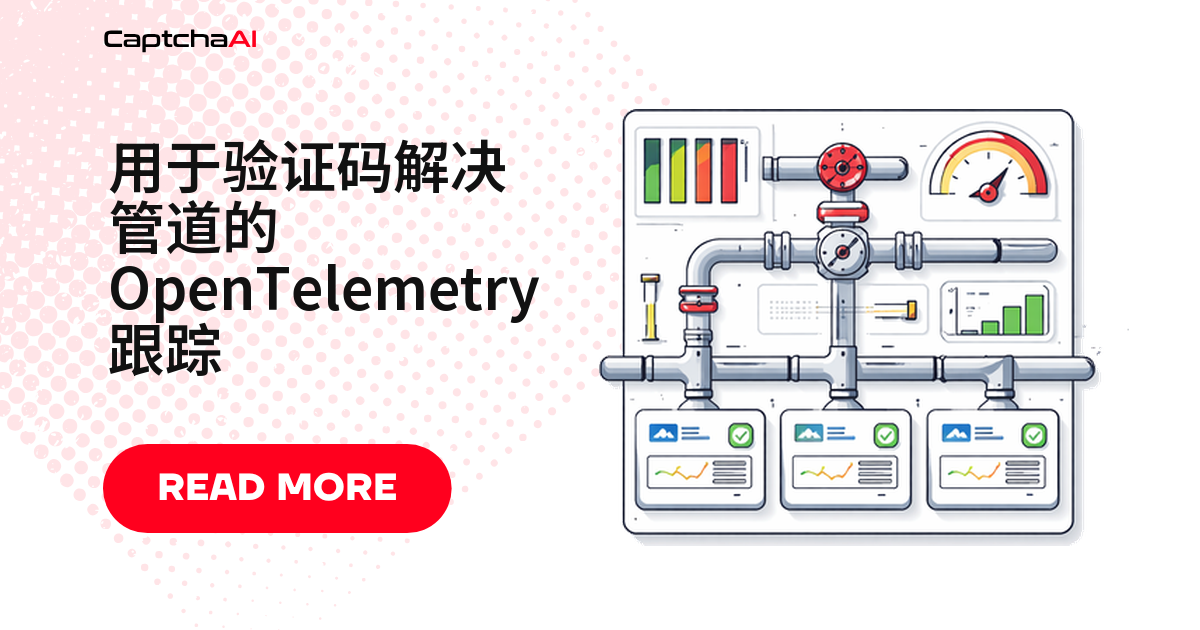
某次识别用了 47 秒而不是 5 秒,是提交慢、轮询多,还是网络延迟?没有链路追踪只能靠猜。OpenTelemetry(OTel)把链路每一步变成可查询的跨度(span)——检测一次,导出到 Jaeger、Datadog 或任何兼容 OTel 的后端,供应商中立。
OpenTelemetry 追踪结构:一次 CAPTCHA 解决要经过哪些环节
一次请求展开的父子跨度关系:
[Scrape Page]
  └── [Solve CAPTCHA]                    ← Parent span
        ├── [Submit Task]                ← HTTP POST to in.php
        ├── [Poll Result]               ← Repeated GET to res.php
        │     ├── [Poll Attempt 1]       ← CAPCHA_NOT_READY
        │     ├── [Poll Attempt 2]       ← CAPCHA_NOT_READY
        │     └── [Poll Attempt 3]       ← OK (solution)
        └── [Apply Token]               ← Inject into form
父跨度 captcha.solve 覆盖整条链路;提交、轮询、写入 token 各是独立子跨度,按阶段筛选即可看出耗时花在哪一步。
Python 接入 OpenTelemetry 链路追踪
安装依赖
pip install opentelemetry-api opentelemetry-sdk \
    opentelemetry-exporter-otlp \
    opentelemetry-instrumentation-requests
国内镜像装包可加 -i https://pypi.tuna.tsinghua.edu.cn/simple。
编写追踪代码
import os
import time
import requests
from opentelemetry import trace
from opentelemetry.sdk.trace import TracerProvider
from opentelemetry.sdk.trace.export import BatchSpanProcessor
from opentelemetry.exporter.otlp.proto.grpc.trace_exporter import (
    OTLPSpanExporter,
)
from opentelemetry.sdk.resources import Resource
from opentelemetry.instrumentation.requests import RequestsInstrumentor
from opentelemetry.trace import StatusCode

# Configure provider
resource = Resource.create({"service.name": "captcha-pipeline"})
provider = TracerProvider(resource=resource)

# Export to OTel Collector (or Jaeger/Zipkin directly)
exporter = OTLPSpanExporter(
    endpoint=os.environ.get("OTEL_EXPORTER_OTLP_ENDPOINT",
                            "http://localhost:4317")
)
provider.add_span_processor(BatchSpanProcessor(exporter))
trace.set_tracer_provider(provider)

# Auto-instrument requests library
RequestsInstrumentor().instrument()

tracer = trace.get_tracer("captchaai.solver")
API_KEY = os.environ["CAPTCHAAI_API_KEY"]
session = requests.Session()


def solve_captcha(sitekey, pageurl, captcha_type="recaptcha_v2"):
    """Solve a CAPTCHA with full OpenTelemetry tracing."""
    with tracer.start_as_current_span(
        "captcha.solve",
        attributes={
            "captcha.type": captcha_type,
            "captcha.target_url": pageurl,
        }
    ) as solve_span:

        # Submit phase
        with tracer.start_as_current_span("captcha.submit") as submit_span:
            resp = session.post("https://ocr.captchaai.com/in.php", data={
                "key": API_KEY,
                "method": "userrecaptcha",
                "googlekey": sitekey,
                "pageurl": pageurl,
                "json": 1
            })
            data = resp.json()
            submit_span.set_attribute("http.status_code", resp.status_code)

            if data.get("status") != 1:
                error = data.get("request", "UNKNOWN")
                submit_span.set_status(StatusCode.ERROR, error)
                submit_span.set_attribute("captcha.error", error)
                solve_span.set_status(StatusCode.ERROR, error)
                return {"error": error}

            captcha_id = data["request"]
            submit_span.set_attribute("captcha.id", captcha_id)
            solve_span.set_attribute("captcha.id", captcha_id)

        # Poll phase
        with tracer.start_as_current_span("captcha.poll") as poll_span:
            poll_count = 0
            poll_start = time.time()

            for _ in range(60):
                time.sleep(5)
                poll_count += 1

                with tracer.start_as_current_span(
                    f"captcha.poll.attempt",
                    attributes={"captcha.poll.number": poll_count}
                ) as attempt_span:
                    result = session.get(
                        "https://ocr.captchaai.com/res.php",
                        params={
                            "key": API_KEY,
                            "action": "get",
                            "id": captcha_id,
                            "json": 1
                        }
                    ).json()

                    if result.get("status") == 1:
                        attempt_span.set_attribute("captcha.poll.ready", True)
                        elapsed = time.time() - poll_start
                        poll_span.set_attribute("captcha.poll.count", poll_count)
                        poll_span.set_attribute(
                            "captcha.poll.duration_s", round(elapsed, 2)
                        )
                        solve_span.set_attribute(
                            "captcha.solve_time_s", round(elapsed, 2)
                        )
                        solve_span.set_status(StatusCode.OK)
                        return {
                            "solution": result["request"],
                            "elapsed": elapsed,
                            "polls": poll_count
                        }

                    if result.get("request") != "CAPCHA_NOT_READY":
                        error = result.get("request", "UNKNOWN")
                        attempt_span.set_status(StatusCode.ERROR, error)
                        poll_span.set_status(StatusCode.ERROR, error)
                        solve_span.set_status(StatusCode.ERROR, error)
                        return {"error": error}

                    attempt_span.set_attribute("captcha.poll.ready", False)

            poll_span.set_attribute("captcha.poll.count", poll_count)
            poll_span.set_status(StatusCode.ERROR, "TIMEOUT")
            solve_span.set_status(StatusCode.ERROR, "TIMEOUT")
            return {"error": "TIMEOUT"}
三层跨度分工明确:captcha.solve 父跨度,captcha.submit 覆盖提交,captcha.poll 及子跨度记录每次轮询。出错用 set_status(StatusCode.ERROR, ...) 把原因写进跨度,不用翻日志。
Node.js 接入 OpenTelemetry 链路追踪
安装依赖
npm install @opentelemetry/api @opentelemetry/sdk-node \
    @opentelemetry/sdk-trace-node \
    @opentelemetry/exporter-trace-otlp-grpc \
    @opentelemetry/instrumentation-http
编写追踪代码
const { NodeSDK } = require("@opentelemetry/sdk-node");
const { OTLPTraceExporter } = require("@opentelemetry/exporter-trace-otlp-grpc");
const { HttpInstrumentation } = require("@opentelemetry/instrumentation-http");
const { trace, SpanStatusCode } = require("@opentelemetry/api");
const axios = require("axios");

// Initialize SDK
const sdk = new NodeSDK({
  serviceName: "captcha-pipeline",
  traceExporter: new OTLPTraceExporter({
    url: process.env.OTEL_EXPORTER_OTLP_ENDPOINT || "http://localhost:4317",
  }),
  instrumentations: [new HttpInstrumentation()],
});
sdk.start();

const tracer = trace.getTracer("captchaai.solver");
const API_KEY = process.env.CAPTCHAAI_API_KEY;

async function solveCaptchaWithTracing(sitekey, pageurl, captchaType = "recaptcha_v2") {
  return tracer.startActiveSpan("captcha.solve", {
    attributes: { "captcha.type": captchaType, "captcha.target_url": pageurl },
  }, async (solveSpan) => {
    try {
      // Submit
      const captchaId = await tracer.startActiveSpan(
        "captcha.submit",
        async (submitSpan) => {
          try {
            const resp = await axios.post("https://ocr.captchaai.com/in.php", null, {
              params: {
                key: API_KEY, method: "userrecaptcha",
                googlekey: sitekey, pageurl, json: 1,
              },
            });

            if (resp.data.status !== 1) {
              submitSpan.setStatus({ code: SpanStatusCode.ERROR, message: resp.data.request });
              throw new Error(resp.data.request);
            }

            submitSpan.setAttribute("captcha.id", resp.data.request);
            return resp.data.request;
          } finally {
            submitSpan.end();
          }
        }
      );

      solveSpan.setAttribute("captcha.id", captchaId);

      // Poll
      return await tracer.startActiveSpan("captcha.poll", async (pollSpan) => {
        try {
          let pollCount = 0;
          const pollStart = Date.now();

          for (let i = 0; i < 60; i++) {
            await new Promise((r) => setTimeout(r, 5000));
            pollCount++;

            const result = await tracer.startActiveSpan(
              "captcha.poll.attempt",
              { attributes: { "captcha.poll.number": pollCount } },
              async (attemptSpan) => {
                try {
                  const resp = await axios.get("https://ocr.captchaai.com/res.php", {
                    params: { key: API_KEY, action: "get", id: captchaId, json: 1 },
                  });
                  attemptSpan.setAttribute("captcha.poll.ready", resp.data.status === 1);
                  return resp.data;
                } finally {
                  attemptSpan.end();
                }
              }
            );

            if (result.status === 1) {
              const elapsed = (Date.now() - pollStart) / 1000;
              pollSpan.setAttribute("captcha.poll.count", pollCount);
              solveSpan.setAttribute("captcha.solve_time_s", elapsed);
              solveSpan.setStatus({ code: SpanStatusCode.OK });
              return { solution: result.request, elapsed, polls: pollCount };
            }

            if (result.request !== "CAPCHA_NOT_READY") {
              throw new Error(result.request);
            }
          }
          throw new Error("TIMEOUT");
        } catch (err) {
          pollSpan.setStatus({ code: SpanStatusCode.ERROR, message: err.message });
          throw err;
        } finally {
          pollSpan.end();
        }
      });
    } catch (err) {
      solveSpan.setStatus({ code: SpanStatusCode.ERROR, message: err.message });
      return { error: err.message };
    } finally {
      solveSpan.end();
    }
  });
}

module.exports = { solveCaptchaWithTracing };
结构与 Python 版本对称,用 startActiveSpan 回调代替 with 语句;漏掉 finally 里的 span.end() 的后果见下面排查表第二行。
配置 OTel Collector 导出追踪数据
# otel-collector-config.yaml
receivers:
  otlp:
    protocols:
      grpc:
        endpoint: 0.0.0.0:4317

processors:
  batch:
    timeout: 5s

exporters:
  jaeger:
    endpoint: jaeger:14250
    tls:
      insecure: true
  # Or export to Datadog, New Relic, etc.

service:
  pipelines:
    traces:
      receivers: [otlp]
      processors: [batch]
      exporters: [jaeger]
观测平台(如 Datadog、New Relic)多在境外,进程直连易受跨境链路影响。先发到本地 Collector 统一批处理、重试再转发,比各进程直连海外 SaaS 更可控。
追踪里能看到哪些关键信息
| 跨度属性 | 示例值 | 能看出什么 |
|---|---|---|
captcha.type |
recaptcha_v2 |
哪种验证码类型最耗时 |
captcha.solve_time_s |
24.5 |
实际识别延迟 |
captcha.poll.count |
5 |
轮询了多少次才拿到结果 |
captcha.error |
ERROR_WRONG_CAPTCHA_ID |
错误类型分布 |
captcha.id |
73519... |
定位某一次具体的解决记录 |
排查清单:追踪数据不对劲时怎么办
| 问题 | 原因 | 处理方式 |
|---|---|---|
| 完全看不到任何追踪 | OTel Collector 没有启动 | 检查 docker ps,确认 endpoint 地址是否正确 |
| 子跨度丢失 | 跨度没有正确结束 | 始终在 finally 块里调用 span.end() |
| 追踪链路断裂、上下文不连续 | 上下文没有正确传播 | 使用 startActiveSpan,让上下文自动传播 |
| 出现 High cardinality 告警 | 属性取值的唯一组合太多 | 不要把 captcha.id 当作 metrics 的标签使用 |
常见问题
自建 Jaeger 还是接入 Datadog/New Relic 这类 SaaS 观测平台?
不冲突——Collector 是解耦层,同一份数据可同时转发给自建 Jaeger 和 Datadog。平台未定或海外出站不稳时,先落一份到自建 Jaeger 更省心。
追踪会不会拖慢验证码识别速度?
几乎不会。异步批量导出,每个跨度只增加微秒级开销,相对 5–120 秒的单次识别耗时可忽略。
生产环境该用多高的采样率?
开发阶段可全量追踪;上线后按比例采样(如 10%)控制成本,失败请求单独设为 100% 采样,避免漏排查。
轮询次数一多,会不会导致跨度基数(cardinality)过高?
跨度名称本身安全,但别把每次轮询生成的 captcha.id 塞进 metrics 标签,留在 span 属性里查询即可。
下一步
想拿到完整链路追踪?用 CaptchaAI API Key 开始,几行代码接入 OpenTelemetry。
相关指南: