图片验证码答案不对,问题多半在提交的图片本身,不在识别引擎——裁剪不对、分辨率不够、编码出错,都会让本该轻松通过的识别变成反复重试。
下面按频率排查,几分钟内通常能定位。
提示:先看原因对照表,再核对文末清单。
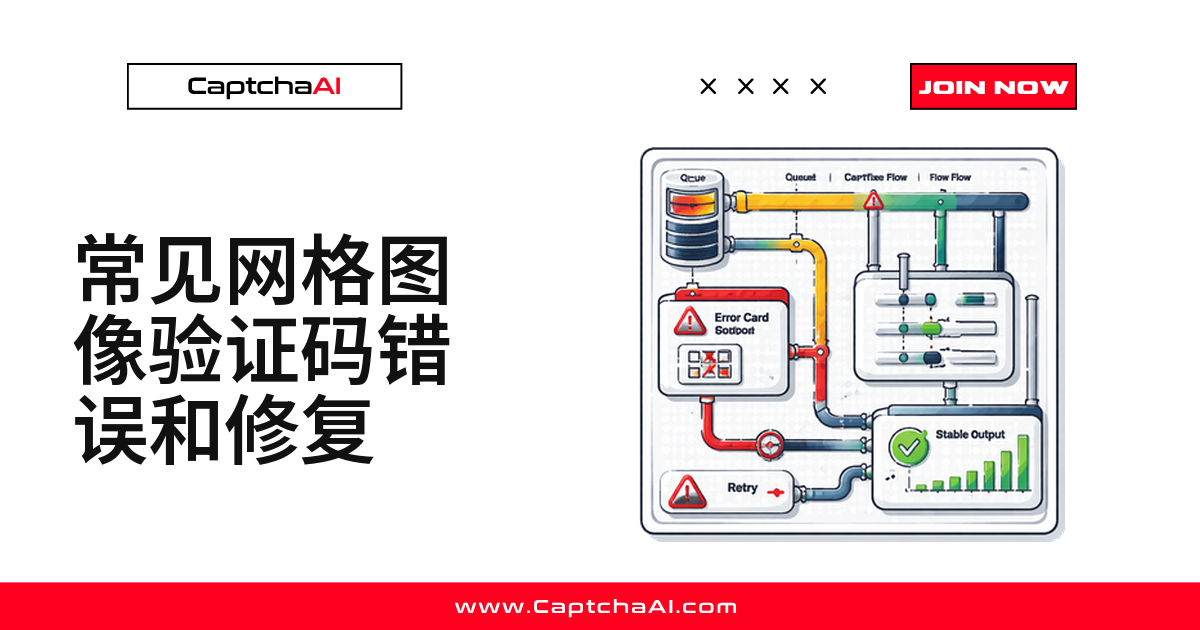
图片验证码识别错误的五个常见原因
| 原因 | 出现频率 | 处理方式 |
|---|---|---|
| 图片裁剪不完整 | 很常见 | 截取完整的验证码元素,不要裁剪整页 |
| 分辨率过低 / 压缩过度 | 常见 | 提交更高质量的原图 |
| Base64 编码方式错误 | 常见 | 检查编码对象是否正确,做一次往返校验 |
| 缺少语言 / 类型提示 | 偶尔 | 补充 language 或 textinstructions 参数 |
| 图片过期或已刷新 | 偶尔 | 求解前重新截取最新图片 |
提交前先确认三点:
- 截图完整、分辨率达标
- Base64 编码的是图片内容而非文件名
- 图片没有过期
修复 1:提交前先自检图片质量
提交前先过一遍简单规则:分辨率够不够、是不是空白图、文件大小是否合理。下面这个函数封装好了,接在抓图逻辑后直接调用:
自检函数示例
import base64
from io import BytesIO
from PIL import Image


def validate_captcha_image(image_path):
    """Check image quality before submitting to CaptchaAI."""
    img = Image.open(image_path)
    width, height = img.size
    issues = []

    # Minimum resolution
    if width < 50 or height < 20:
        issues.append(f"Too small: {width}x{height}px (min 50x20)")

    # Check if mostly blank
    pixels = list(img.getdata())
    if img.mode == "RGB":
        white_count = sum(1 for p in pixels if p[0] > 250 and p[1] > 250 and p[2] > 250)
    else:
        white_count = sum(1 for p in pixels if p > 250)

    blank_ratio = white_count / len(pixels)
    if blank_ratio > 0.95:
        issues.append(f"Image appears blank ({blank_ratio:.0%} white)")

    # File size check
    img_bytes = BytesIO()
    img.save(img_bytes, format="PNG")
    size_kb = img_bytes.tell() / 1024
    if size_kb < 1:
        issues.append(f"File too small ({size_kb:.1f} KB) — may be empty")
    if size_kb > 600:
        issues.append(f"File too large ({size_kb:.0f} KB) — submit under 600 KB")

    return issues


issues = validate_captcha_image("captcha.png")
if issues:
    for issue in issues:
        print(f"WARNING: {issue}")
else:
    print("Image quality OK")
修复 2:Base64 编码,一步都不能错
最容易踩的坑是编码错了对象——把文件名字符串编码成了 base64,而不是图片二进制内容。这类错误不会报错,只会让 CaptchaAI 收到无意义字节,答案自然是乱码。提交前做一次往返校验就能拦下:
正确编码与往返校验
import base64


def encode_captcha(image_path):
    """Properly encode a CAPTCHA image to base64."""
    with open(image_path, "rb") as f:
        raw = f.read()

    encoded = base64.b64encode(raw).decode("ascii")

    # Verify round-trip
    decoded = base64.b64decode(encoded)
    assert decoded == raw, "Base64 encoding corrupted the image"

    return encoded


# WRONG — encoding a file path string
bad = base64.b64encode(b"captcha.png").decode()  # Encodes filename, not image!

# CORRECT — encoding file contents
with open("captcha.png", "rb") as f:
    good = base64.b64encode(f.read()).decode()
修复 3:图片质量太差,先做预处理
原始截图模糊、偏小或对比度低时,预处理能救回这类情况:放大、提高对比度、锐化边缘。
预处理函数示例
from PIL import Image, ImageFilter, ImageEnhance
from io import BytesIO
import base64


def preprocess_captcha(image_path):
    """Improve image quality for better OCR accuracy."""
    img = Image.open(image_path)

    # Convert to RGB if needed
    if img.mode != "RGB":
        img = img.convert("RGB")

    # Upscale small images
    width, height = img.size
    if width < 200:
        scale = 200 / width
        img = img.resize(
            (int(width * scale), int(height * scale)),
            Image.LANCZOS,
        )

    # Increase contrast
    enhancer = ImageEnhance.Contrast(img)
    img = enhancer.enhance(1.5)

    # Sharpen
    img = img.filter(ImageFilter.SHARPEN)

    # Convert to PNG bytes
    buffer = BytesIO()
    img.save(buffer, format="PNG")
    return base64.b64encode(buffer.getvalue()).decode()
修复 4:用 type / language 参数给引擎提示
验证码是纯数字、区分大小写或用特定语言字符时,把这些信息传给 CaptchaAI 比让引擎自己猜更准。numeric、min_len、max_len、textinstructions 在这类场景很有用:
参数提示示例代码
import requests


def solve_image(api_key, image_base64, **hints):
    """Submit image CAPTCHA with quality hints."""
    data = {
        "key": api_key,
        "method": "base64",
        "body": image_base64,
        "json": 1,
    }

    # Add optional hints for better accuracy
    if "language" in hints:
        data["language"] = hints["language"]  # 0=default, 1=Cyrillic, 2=Latin
    if "textinstructions" in hints:
        data["textinstructions"] = hints["textinstructions"]
    if "numeric" in hints:
        data["numeric"] = hints["numeric"]  # 1=digits only, 2=letters only
    if "min_len" in hints:
        data["min_len"] = hints["min_len"]
    if "max_len" in hints:
        data["max_len"] = hints["max_len"]

    resp = requests.post("https://ocr.captchaai.com/in.php", data=data, timeout=30)
    return resp.json()


# Example: Digits-only CAPTCHA, 4-6 characters
result = solve_image(
    "YOUR_API_KEY",
    encoded_image,
    numeric=1,
    min_len=4,
    max_len=6,
)

# Example: Case-sensitive text
result = solve_image(
    "YOUR_API_KEY",
    encoded_image,
    textinstructions="Case-sensitive, enter exactly as shown",
)
修复 5:只截取验证码元素,别截整页
用 Selenium 做自动化测试或数据采集时,常见的坑是对整页截图再手动裁剪——多一次裁剪就多一次出错的机会。更稳的做法是直接截取验证码元素本身:
元素截图函数
from selenium import webdriver
from selenium.webdriver.common.by import By
import base64


def capture_captcha_element(driver, selector):
    """Screenshot only the CAPTCHA element, not the full page."""
    element = driver.find_element(By.CSS_SELECTOR, selector)

    # Element screenshot (better than page crop)
    png_bytes = element.screenshot_as_png

    # Verify it's not empty
    if len(png_bytes) < 500:
        raise ValueError("Screenshot too small — element may not be visible")

    return base64.b64encode(png_bytes).decode()


# Usage
driver = webdriver.Chrome()
driver.get("https://example.com")
image_b64 = capture_captcha_element(driver, "img#captchaImage")
国内安装 Pillow、Selenium 慢时可加镜像:pip install -i https://pypi.tuna.tsinghua.edu.cn/simple pillow selenium。
修复 6:处理会刷新或轮换的验证码
有些站点的验证码会定时刷新,截图和提交之间隔太久,拿到手的可能已经是过期图片,再准的识别也没用。做法很直接:截图后立刻提交,别插入多余的等待逻辑。
抓取并立即提交
import time


def solve_with_fresh_image(driver, api_key, captcha_selector):
    """Capture and solve CAPTCHA immediately to avoid expiry."""
    # Wait for CAPTCHA to load fully
    time.sleep(2)

    # Capture fresh
    element = driver.find_element(By.CSS_SELECTOR, captcha_selector)
    png_bytes = element.screenshot_as_png
    body = base64.b64encode(png_bytes).decode()

    # Submit immediately
    resp = requests.post("https://ocr.captchaai.com/in.php", data={
        "key": api_key,
        "method": "base64",
        "body": body,
        "json": 1,
    }, timeout=30)
    result = resp.json()

    if result.get("status") != 1:
        raise RuntimeError(result.get("request"))

    task_id = result["request"]

    # Poll — image CAPTCHAs solve fast
    time.sleep(5)
    for _ in range(12):
        resp = requests.get("https://ocr.captchaai.com/res.php", params={
            "key": api_key, "action": "get",
            "id": task_id, "json": 1,
        }, timeout=15)
        data = resp.json()

        if data.get("status") == 1:
            return data["request"]
        if data["request"] != "CAPCHA_NOT_READY":
            raise RuntimeError(data["request"])
        time.sleep(3)

    raise TimeoutError("Image solve timeout")
图片验证码自查清单:症状对应诊断
| 症状 | 诊断 | 处理方式 |
|---|---|---|
| 答案是胡言乱语 | Base64 编码错误 | 做一次编码往返校验 |
| 答案很接近但不对 | 图片质量偏低 | 预处理:放大、锐化、提高对比度 |
| 答案字符数不对 | 缺少长度提示 | 补充 min_len / max_len 参数 |
| 答案字母数字混在一起 | 缺少类型提示 | 补充 numeric=1 或 numeric=2 |
| 返回空答案 | 图片空白或已损坏 | 提交前先验证图片 |
| 答案本身对,但网站不认 | 大小写敏感 | 用 textinstructions 说明大小写要求 |
常见问题
答案是一串乱码,通常是哪里出的问题?
多数是 Base64 编码错了对象——把文件路径字符串编码成了 base64,而非图片二进制内容。做一次编解码往返校验就能定位。
要不要在提交前自己做图像预处理?
不是每次都需要,CaptchaAI 对标准清晰度图片处理得很好。原图特别小、模糊或对比度低时,预处理才有明显帮助。
识别结果的字符数总是和验证码对不上,怎么办?
先确认有没有传 min_len 和 max_len。没有长度提示时,引擎只能靠视觉线索猜字符数。
识别错了可以申诉吗?
可以,用带任务 ID 的 reportbad 接口上报,有助于改进识别准确率,部分情况下会得到额度补偿。
相关指南
精准识别图片验证码 —— 试用 CaptchaAI。