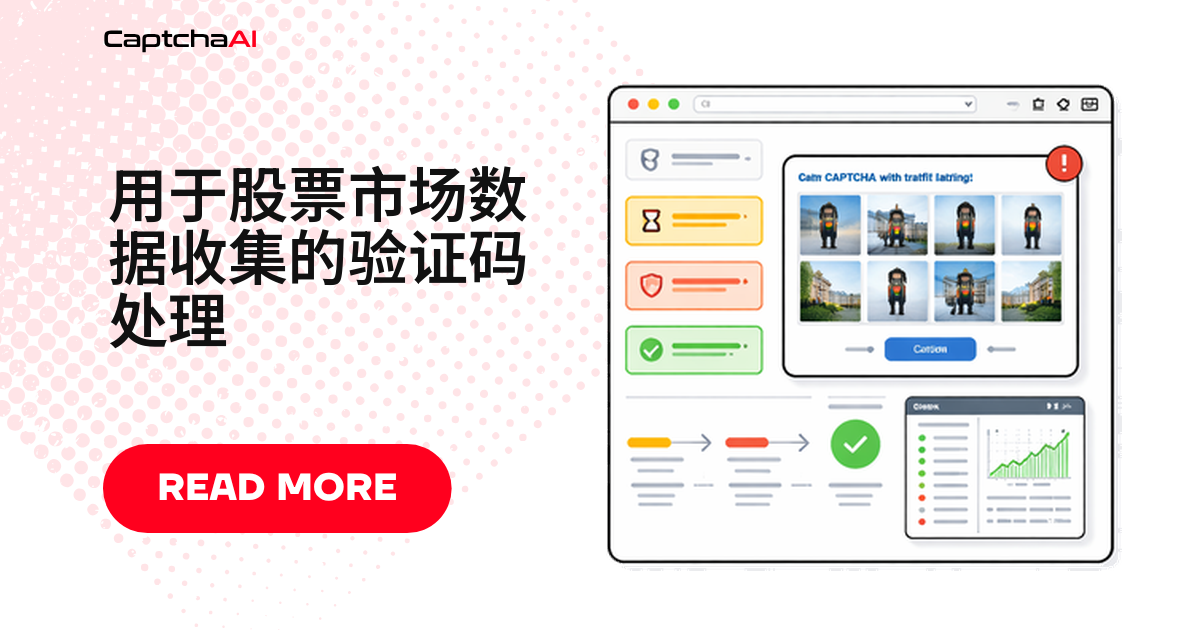
盘中扫自选股,扫到二十几个代码时返回 403 和一屏 Cloudflare 验证页——财经数据采集大多断在这里。把验证码当成流程里的正常分支,识别验证页、取 sitekey、拿回 token 重放,比加 sleep 硬熬可靠。
财经门户什么时候会弹验证码
| 数据类型 | 常见站点 | 验证码类型 | 触发场景 |
|---|---|---|---|
| 实时报价 | 财经门户 | Cloudflare Turnstile | 连查多个代码 |
| 历史价格 | 数据服务商 | reCAPTCHA v2 | 批量下载 CSV |
| 财务报表 | SEC 备案检索站 | 图片验证码 | 反复查询 EDGAR |
| 筛选结果 | 选股筛选器 | Cloudflare 验证流程 | 复杂组合查询 |
| 分析师评级 | 研究门户 | reCAPTCHA v3 | 连续翻页 |
先定采集频率,再谈识别
| 数据类型 | 建议间隔 | 验证码频率 |
|---|---|---|
| 实时报价 | 1–5 分钟 | 高,优先用官方 API |
| 收盘价格 | 收盘后一次 | 低 |
| 财务报表 | 每季度 | 极少 |
| 筛选结果 | 每天 | 中等 |
| 分析师评级 | 每周一次 | 低 |
并发按线程估:一个线程同时处理一个验证码,套餐内不限次数。盘中峰值十来个任务,STANDARD($30/月,15 线程)即可。
国内外站点的差别
- 国内财经站点多用 GeeTest(极验)滑块,境外门户才普遍上 Turnstile 与 reCAPTCHA;CaptchaAI 支持 GeeTest v3,v4 为即将支持。
- reCAPTCHA 依赖 Google 域名下的脚本,内地网络常加载不出来,别误判成识别失败。
常见故障与排查
| 问题 | 原因 | 处理方式 |
|---|---|---|
| 每个请求都弹 Turnstile | 每次都是新会话 | 复用 session 与 cookie |
| 历史数据缺行 | 分页在验证码后 | 逐页识别,跟分页链接走 |
| 报价是旧的 | 命中缓存 | 加破缓存查询参数 |
| 提交 token 后仍 403 | sitekey 或 pageurl 取错 | 用挑战页真实 URL 重提 |
Python 行情采集器:识别与重放
对应到代码:判断响应是不是验证页、区分 Turnstile 与 reCAPTCHA,拿到 token 后复用 session 重放。
import requests
import time
import re
from datetime import datetime, timedelta

class StockDataCollector:
    def __init__(self, api_key):
        self.api_key = api_key
        self.session = requests.Session()
        self.session.headers.update({
            "User-Agent": "Mozilla/5.0 (Windows NT 10.0; Win64; x64) AppleWebKit/537.36"
        })

    def get_quote(self, portal_url, symbol):
        """Get current stock quote, solving CAPTCHAs if needed."""
        url = f"{portal_url}/quote/{symbol}"
        response = self.session.get(url)

        if self._is_captcha_page(response):
            response = self._solve_and_retry(response, url)

        return self._parse_quote(response.text, symbol)

    def get_historical(self, portal_url, symbol, days=365):
        """Download historical price data."""
        url = f"{portal_url}/history/{symbol}"
        params = {
            "period": f"{days}d",
            "interval": "1d"
        }
        response = self.session.get(url, params=params)

        if self._is_captcha_page(response):
            response = self._solve_and_retry(response, url)

        return self._parse_historical(response.text)

    def scan_symbols(self, portal_url, symbols, delay=2):
        """Collect quotes for multiple symbols."""
        results = {}

        for symbol in symbols:
            try:
                results[symbol] = self.get_quote(portal_url, symbol)
                time.sleep(delay)
            except Exception as e:
                results[symbol] = {"error": str(e)}

        return results

    def _is_captcha_page(self, response):
        return (
            response.status_code == 403 or
            "cf-turnstile" in response.text or
            "challenges.cloudflare.com" in response.text
        )

    def _solve_and_retry(self, response, url):
        match = re.search(r'data-sitekey="(0x[^"]+)"', response.text)
        if not match:
            # Fall back to reCAPTCHA detection
            match = re.search(r'data-sitekey="([^"]+)"', response.text)
            if match:
                return self._solve_recaptcha_and_retry(match.group(1), url)
            raise ValueError("No CAPTCHA sitekey found")

        resp = requests.post("https://ocr.captchaai.com/in.php", data={
            "key": self.api_key,
            "method": "turnstile",
            "sitekey": match.group(1),
            "pageurl": url,
            "json": 1
        })
        task_id = resp.json()["request"]

        for _ in range(60):
            time.sleep(3)
            result = requests.get("https://ocr.captchaai.com/res.php", params={
                "key": self.api_key,
                "action": "get",
                "id": task_id,
                "json": 1
            })
            data = result.json()
            if data["status"] == 1:
                return self.session.post(url, data={
                    "cf-turnstile-response": data["request"]
                })

        raise TimeoutError("CAPTCHA solve timed out")

    def _solve_recaptcha_and_retry(self, site_key, url):
        resp = requests.post("https://ocr.captchaai.com/in.php", data={
            "key": self.api_key,
            "method": "userrecaptcha",
            "googlekey": site_key,
            "pageurl": url,
            "json": 1
        })
        task_id = resp.json()["request"]

        for _ in range(60):
            time.sleep(3)
            result = requests.get("https://ocr.captchaai.com/res.php", params={
                "key": self.api_key,
                "action": "get",
                "id": task_id,
                "json": 1
            })
            data = result.json()
            if data["status"] == 1:
                return self.session.post(url, data={
                    "g-recaptcha-response": data["request"]
                })

        raise TimeoutError("reCAPTCHA solve timed out")

    def _parse_quote(self, html, symbol):
        from bs4 import BeautifulSoup
        soup = BeautifulSoup(html, "html.parser")

        def text_or_none(node):
            return node.text.strip() if node and node.text else None

        return {
            "symbol": symbol,
            "price": text_or_none(soup.select_one("[data-field='regularMarketPrice'], .price")),
            "change": text_or_none(soup.select_one("[data-field='regularMarketChange'], .change")),
            "volume": text_or_none(soup.select_one("[data-field='regularMarketVolume'], .volume")),
            "market_cap": text_or_none(soup.select_one("[data-field='marketCap'], .market-cap")),
            "timestamp": datetime.now().isoformat()
        }

    def _parse_historical(self, html):
        from bs4 import BeautifulSoup
        soup = BeautifulSoup(html, "html.parser")
        rows = []

        for row in soup.select("table tr")[1:]:  # Skip header
            cells = [td.text.strip() for td in row.select("td")]
            if len(cells) >= 6:
                rows.append({
                    "date": cells[0],
                    "open": cells[1],
                    "high": cells[2],
                    "low": cells[3],
                    "close": cells[4],
                    "volume": cells[5]
                })

        return rows


# Usage
collector = StockDataCollector("YOUR_API_KEY")

# Single quote
quote = collector.get_quote("https://finance.example.com", "AAPL")
print(f"AAPL: ${quote['price']} ({quote['change']})")

# Scan multiple symbols
portfolio = collector.scan_symbols(
    "https://finance.example.com",
    ["AAPL", "GOOGL", "MSFT", "AMZN", "TSLA"]
)
- 轮询 3 秒一次。
- 字段别混:Turnstile 用
cf-turnstile-response,reCAPTCHA 用g-recaptcha-response。
JavaScript 筛选器:提交 Turnstile token
筛选器参数多,验证码常卡在第一次提交。Node.js 逻辑一致,换成 fetch:
class MarketScreener {
  constructor(apiKey) {
    this.apiKey = apiKey;
  }

  async screenStocks(portalUrl, filters) {
    const params = new URLSearchParams(filters);
    const response = await fetch(`${portalUrl}/screener?${params}`);
    const html = await response.text();

    if (html.includes('cf-turnstile') || response.status === 403) {
      return this.solveAndScreen(portalUrl, filters, html);
    }

    return this.parseScreenerResults(html);
  }

  async solveAndScreen(portalUrl, filters, html) {
    const match = html.match(/data-sitekey="(0x[^"]+)"/);
    if (!match) throw new Error('Turnstile sitekey not found');

    const submitResp = await fetch('https://ocr.captchaai.com/in.php', {
      method: 'POST',
      body: new URLSearchParams({
        key: this.apiKey,
        method: 'turnstile',
        sitekey: match[1],
        pageurl: portalUrl,
        json: '1'
      })
    });
    const { request: taskId } = await submitResp.json();

    for (let i = 0; i < 60; i++) {
      await new Promise(r => setTimeout(r, 3000));
      const result = await fetch(
        `https://ocr.captchaai.com/res.php?key=${this.apiKey}&action=get&id=${taskId}&json=1`
      );
      const data = await result.json();
      if (data.status === 1) {
        const response = await fetch(`${portalUrl}/screener`, {
          method: 'POST',
          body: new URLSearchParams({
            ...filters,
            'cf-turnstile-response': data.request
          })
        });
        return this.parseScreenerResults(await response.text());
      }
    }
    throw new Error('Turnstile solve timed out');
  }

  parseScreenerResults(html) {
    const rows = [];
    const tableMatch = html.match(/<table[^>]*>[\s\S]*?<\/table>/i);
    if (!tableMatch) return rows;

    const rowMatches = tableMatch[0].matchAll(/<tr[^>]*>([\s\S]*?)<\/tr>/gi);
    for (const row of rowMatches) {
      const cells = [...row[1].matchAll(/<td[^>]*>([\s\S]*?)<\/td>/gi)]
        .map(m => m[1].replace(/<[^>]+>/g, '').trim());
      if (cells.length >= 4) {
        rows.push({
          symbol: cells[0],
          price: cells[1],
          change: cells[2],
          volume: cells[3]
        });
      }
    }
    return rows;
  }
}

// Usage
const screener = new MarketScreener('YOUR_API_KEY');
const results = await screener.screenStocks('https://finance.example.com', {
  sector: 'technology',
  marketCap: 'large',
  peRatio: '<25'
});
常见问题
国内网站的极验滑块,CaptchaAI 能识别吗?
GeeTest v3 可以,按 gt、challenge、pageurl 提交;v4 为即将支持。国内自研验证暂不支持。
盘中扫 500 个代码该选哪个套餐?
看峰值并发,不看总量。多数扫描 15 线程(STANDARD,$30/月)够用,多条流水线并跑再上 ADVANCE($90/月,50 线程)。
识别耗时会不会影响行情时效?
会。实时那层尽量避开验证码:优先官方 API,刷新放到 1–5 分钟级,保住会话让一次识别覆盖一批请求。
财经数据采集有哪些合规注意点?
先看目标站 robots 协议与服务条款,个人信息字段按《个人信息保护法》处理,只采有权采集的数据。
相关文章
下一步
别让采集卡在验证页上——领取 CaptchaAI API Key,把识别与重放跑通。