如果你的自动化脚本卡在一个要你心算的文本框——比如“3 加 5 等于几”——那大概率不是 reCAPTCHA,也不是 Turnstile,而是最古老的一类验证码:数学验证码(Math CAPTCHA)。逻辑验证码(Logic CAPTCHA)与它同宗同源,只是用“天空是什么颜色”这类常识问题代替了算术题。这类挑战不需要接入第三方 API,因此在 WordPress 联系表单、老旧后台系统里至今随处可见。
数学和逻辑验证码有哪几种类型
这五种在真实站点上出现频率最高,按识别难度从低到高排:
| 类型 | 说明 | 示例 | 技术实现 |
|---|---|---|---|
| 1. 基础算术 | 简单的加减乘题,纯文本或图片皆有 | “3 加 5 等于几?”“6 乘以 7 是多少?” | 纯 HTML 文本可直接正则解析;图片版需先 OCR |
| 2. 图片渲染型 | 方程式渲染成变形图片,防止脚本直接抓取文本 | 数字带噪点背景、字体扭曲变形 | 先 OCR 识别出方程式,再算出答案 |
| 3. 文字数字型 | 数字拼成英文单词,而非阿拉伯数字 | “What is seven plus three?” | 需 NLP 把单词解析成数字,再计算 |
| 4. 常识 / 逻辑题 | 不算数,考的是常识判断 | “草是什么颜色的?”“狗有几条腿?” | 需知识库或语言模型,题目通常来自固定题库 |
| 5. 数列 / 规律 | 给一串数字,填出下一个值 | “2、4、6、8,接下来是?” | 需做规律识别(等差数列、斐波那契数列等) |
为什么这么老的验证码还没被淘汰
数学验证码几乎是成本最低的人机识别方式,这也是它至今没被替换掉的原因:
- 零依赖 —— 不接第三方 API,一个后端 session 就能搞定。
- WordPress 生态 —— “Math CAPTCHA”、“Really Simple CAPTCHA” 插件安装量很大,跨境独立站商家也常用类似心算题拦截垃圾询盘。
- 摩擦小 —— 对真实用户来说,心算比在图片九宫格里挑目标快得多。
- 无障碍友好 —— 纯文本版本能被屏幕阅读器正常读出,图片验证码做不到。
- 历史包袱 —— 大量老系统在 reCAPTCHA、Turnstile 出现之前就已上线,后续也没动力升级。
国内网站更常见 GeeTest(极验)、网易易盾这类滑块验证;数学验证码多见于海外 SaaS 后台或老旧系统,容易被自动化流程忽略,直到脚本报错才发现。
数学验证码与主流验证码类型的对比
和主流方案放在一起比一比,更容易看出该在什么场景下选它:
| 特征 | 数学验证码 | reCAPTCHA v2 | hCaptcha | 滑块验证码 |
|---|---|---|---|---|
| 用户摩擦 | 低(心算即可) | 中(图片选择) | 中(图片选择) | 低(单次拖动) |
| 抗机器人能力 | 很低 | 高 | 高 | 中等 |
| 无障碍支持 | 好(文本版本) | 差(依赖视觉) | 差(依赖视觉) | 差(依赖操作精度) |
| 成本 | 免费(自建) | 提供免费额度 | 提供免费额度 | 视方案而定 |
| 常见场景 | WordPress、联系表单 | 登录、注册 | 登录、注册 | 电商、亚洲市场 |
服务端是怎么生成和校验数学验证码的
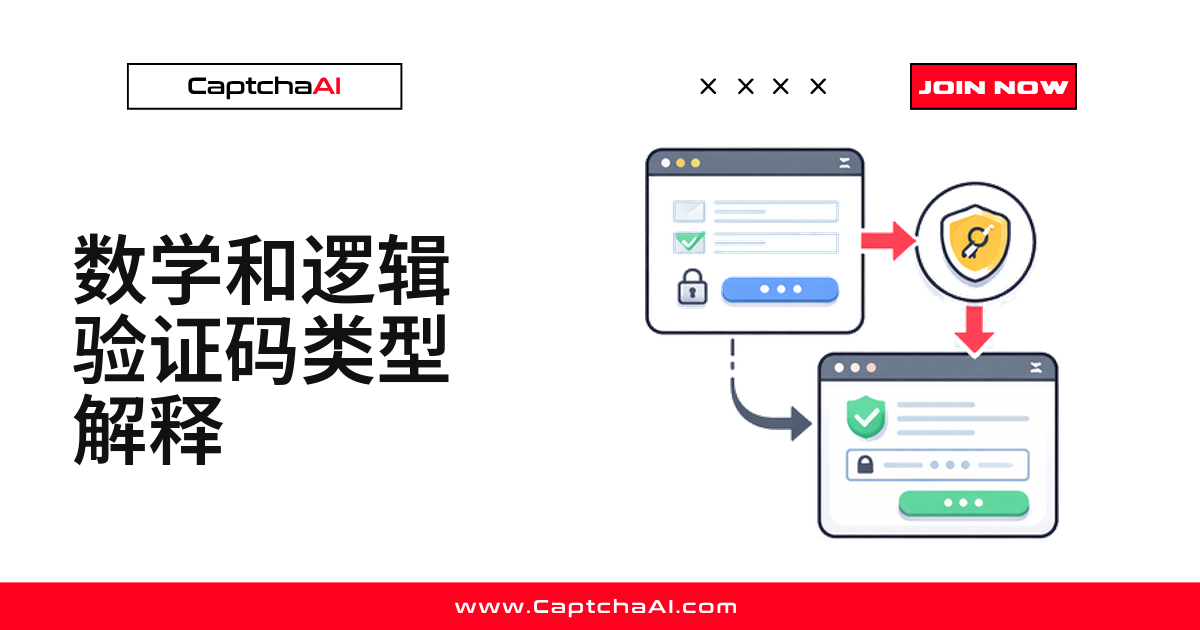
前端形式不管怎么变,后端逻辑大同小异:生成题目、存答案、等提交后比对。
纯文本版本的流程
Server generates random equation (e.g., "7 + 3")
    ↓
Stores answer (10) in server-side session
    ↓
Renders equation as HTML text or image
    ↓
User submits answer via form field
    ↓
Server compares submitted answer to stored answer
    ↓
Match → Form submitted     Mismatch → Error shown
图片版本的流程
图片版本只是多了一步——把方程式画成图片:
Server generates random equation
    ↓
Renders equation into a distorted image (noise, lines, color shifts)
    ↓
Image served to client via <img> tag
    ↓
User reads image, computes answer, types in form field
    ↓
Server validates submitted answer
如何在自动化脚本里识别出数学验证码
写解题逻辑之前,先让脚本自动判断页面上是不是数学验证码。下面两个函数逻辑一致:正则匹配纯文本题目,扫描 alt 属性里带 captcha/math/verify 的图片,再检查常识题的关键词。
Python 检测
import requests
from bs4 import BeautifulSoup
import re

def detect_math_captcha(url):
    """Detect common math CAPTCHA patterns on a page."""
    response = requests.get(url, timeout=10)
    soup = BeautifulSoup(response.text, "html.parser")
    html = response.text.lower()

    indicators = {
        "text_math": False,
        "image_math": False,
        "logic_question": False,
    }

    # Check for text-based math questions
    math_patterns = [
        r"what is \d+\s*[\+\-\×\*]\s*\d+",
        r"\d+\s*[\+\-\×\*]\s*\d+\s*=\s*\?",
        r"solve:\s*\d+",
        r"type the (result|answer|sum)",
    ]
    for pattern in math_patterns:
        if re.search(pattern, html):
            indicators["text_math"] = True
            break

    # Check for CAPTCHA images near math-related labels
    captcha_images = soup.find_all("img", attrs={
        "alt": re.compile(r"captcha|math|verify", re.I)
    })
    if captcha_images:
        indicators["image_math"] = True

    # Check for logic questions
    logic_patterns = [
        r"what color is",
        r"how many legs",
        r"what comes next",
        r"is .+ hot or cold",
    ]
    for pattern in logic_patterns:
        if re.search(pattern, html):
            indicators["logic_question"] = True
            break

    return indicators

result = detect_math_captcha("https://example.com/contact")
print(result)
Node.js 检测
const axios = require("axios");
const cheerio = require("cheerio");

async function detectMathCaptcha(url) {
    const { data: html } = await axios.get(url, { timeout: 10000 });
    const $ = cheerio.load(html);
    const lower = html.toLowerCase();

    const indicators = {
        textMath: false,
        imageMath: false,
        logicQuestion: false,
    };

    // Text-based math patterns
    const mathPatterns = [
        /what is \d+\s*[+\-×*]\s*\d+/,
        /\d+\s*[+\-×*]\s*\d+\s*=\s*\?/,
        /solve:\s*\d+/,
        /type the (result|answer|sum)/,
    ];

    for (const pattern of mathPatterns) {
        if (pattern.test(lower)) {
            indicators.textMath = true;
            break;
        }
    }

    // Check for CAPTCHA images
    $("img").each((_, el) => {
        const alt = ($(el).attr("alt") || "").toLowerCase();
        if (/captcha|math|verify/.test(alt)) {
            indicators.imageMath = true;
        }
    });

    return indicators;
}

detectMathCaptcha("https://example.com/contact").then(console.log);
用 OCR 自动解出图片版数学验证码
图片版没法直接用正则解析,得先用 OCR 读出方程式,再靠一张运算符映射表算出答案。下面这个例子调用 CaptchaAI 的图片 OCR 接口:图片转 base64 提交,轮询结果,再用正则拆出运算符和两个操作数。
使用 CaptchaAI 识别图片版数学验证码
import requests
import time
import re

API_KEY = "YOUR_API_KEY"
CAPTCHA_IMAGE_URL = "https://example.com/captcha.png"

# Download the CAPTCHA image
image_data = requests.get(CAPTCHA_IMAGE_URL).content

# Submit to CaptchaAI OCR
import base64
b64_image = base64.b64encode(image_data).decode()

submit = requests.post("https://ocr.captchaai.com/in.php", data={
    "key": API_KEY,
    "method": "base64",
    "body": b64_image,
    "json": 1,
})

task_id = submit.json().get("request")

# Poll for result
for _ in range(30):
    time.sleep(3)
    result = requests.get("https://ocr.captchaai.com/res.php", params={
        "key": API_KEY,
        "action": "get",
        "id": task_id,
        "json": 1,
    })
    data = result.json()
    if data.get("status") == 1:
        ocr_text = data["request"]  # e.g., "7 + 3"
        print(f"OCR result: {ocr_text}")

        # Parse and compute the answer
        match = re.match(r"(\d+)\s*([+\-*/×])\s*(\d+)", ocr_text)
        if match:
            a, op, b = int(match.group(1)), match.group(2), int(match.group(3))
            ops = {"+": a + b, "-": a - b, "*": a * b, "×": a * b, "/": a // b}
            answer = ops.get(op)
            print(f"Answer: {answer}")
        break
    elif "CAPCHA_NOT_READY" in str(data):
        continue
ops 映射表只覆盖了加、减、乘(含全角 ×)、除四种符号——目标站点用了其他写法(比如 ÷),记得补进去,否则 ops.get(op) 会返回 None。
常见问题
数学验证码和逻辑验证码是一回事吗?
不完全是。数学验证码考算术——加减乘除;逻辑验证码考常识判断,比如“草是什么颜色”,不需要计算,但需要小型知识库或语言模型才能回答。两者实现都很简单,也都靠固定题库穷举。
为什么现在还有网站在用这么老的验证码?
主要是成本和历史包袱:不用接第三方 API,一段后端代码就能实现,WordPress 插件又把门槛降到几乎为零。很多老系统在 reCAPTCHA、Turnstile 出现前就已上线,之后也没动力替换。
图片版数学验证码要怎么用 API 自动识别?
把图片转成 base64 提交给 OCR 接口,拿到方程式文本后,用正则拆出数字和运算符再计算。CaptchaAI 的图片 OCR 支持 27,500 多种图片验证码格式,数学方程图片是其中一类。
脚本老是提交错误答案,是不是运算符没识别对?
很常见的坑。OCR 经常把 × 认成 x 或星号,如果运算符映射表没覆盖到 OCR 实际吐出来的符号,ops.get(op) 就会返回 None。建议先打印 OCR 原始输出,再核对映射表是否覆盖完整。
想彻底不用数学验证码了,该换成 Turnstile 还是 reCAPTCHA v3?
看你更看重什么。Turnstile 摩擦几乎为零,多数情况下用户完全无感;reCAPTCHA v3 走打分模式,能拿到风险分数,策略上更灵活,但需接入 Google 脚本。
总结
数学和逻辑验证码是最简单的一类挑战,常见于 WordPress 联系表单和没跟上迭代的老系统。纯文本版本可直接从 HTML 用正则解析;图片版本要先过一遍 OCR,再靠四则运算算出答案。批量处理图片版时,用 CaptchaAI 图片 OCR API 提取方程式并求解最省事。虽然对机器人几乎没有防御力,但胜在实现简单、对无障碍访问友好,这类验证码短期内不会消失。