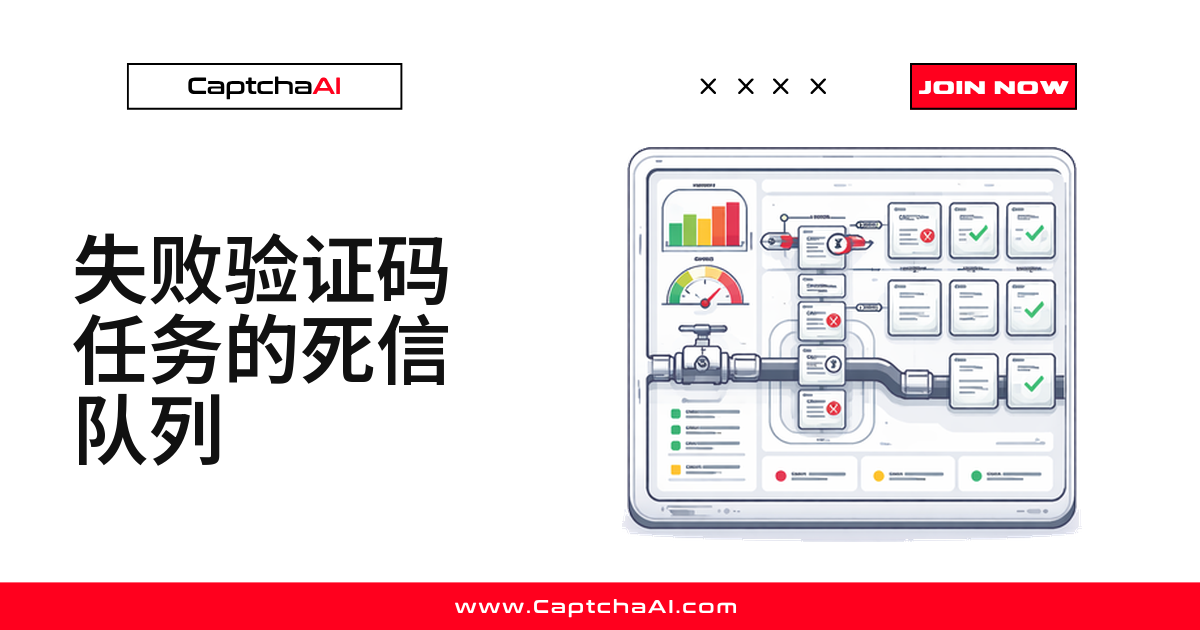
验证码任务重试三次后还是失败,这条数据你打算怎么处理?多数脚本什么都不做——它变成一行日志,淹没在输出里。死信队列(DLQ)把失败任务单独存起来,供后续重试、统计错误分布或触发告警。
任务为什么会进入死信队列
一个验证码任务最终被扔进 DLQ,常见原因有这几种:
ERROR_CAPTCHA_UNSOLVABLE—— solver 判定这道题无法完成ERROR_NO_SLOT_AVAILABLE—— 所有 worker 都在忙,重试也用完了- 轮询超时 —— solver 没能在截止时间内返回结果
- 网络错误 —— 轮询过程中连接中断
国内团队跑 reCAPTCHA 任务时,境内访问 Google 托管脚本的稳定性天然弱一些,超时更频繁,DLQ 因此在这类团队里格外常用。
没有 DLQ,失败只留下一条日志,说不清丢了多少任务。
Python 实现:内存版死信队列(自带重试)
失败任务先进内存队列,指数退避重试耗尽后再入队:
import time
import json
import requests
from collections import deque
from dataclasses import dataclass, asdict
from typing import Optional

API_KEY = "YOUR_API_KEY"
SUBMIT_URL = "https://ocr.captchaai.com/in.php"
RESULT_URL = "https://ocr.captchaai.com/res.php"


@dataclass
class FailedTask:
    sitekey: str
    page_url: str
    error: str
    attempts: int
    timestamp: float
    task_id: Optional[str] = None


class DeadLetterQueue:
    def __init__(self, max_size=1000, max_retries=3):
        self._queue = deque(maxlen=max_size)
        self.max_retries = max_retries

    def push(self, task: FailedTask):
        self._queue.append(task)
        print(f"[dlq] Added: {task.error} (attempts: {task.attempts})")

    def pop(self) -> Optional[FailedTask]:
        return self._queue.popleft() if self._queue else None

    def size(self) -> int:
        return len(self._queue)

    def peek_all(self) -> list:
        return [asdict(t) for t in self._queue]

    def export_json(self, path: str):
        with open(path, "w") as f:
            json.dump(self.peek_all(), f, indent=2)
        print(f"[dlq] Exported {self.size()} tasks to {path}")


dlq = DeadLetterQueue(max_retries=3)


def solve_captcha(sitekey, page_url, max_retries=3):
    for attempt in range(max_retries + 1):
        try:
            resp = requests.post(SUBMIT_URL, data={
                "key": API_KEY,
                "method": "userrecaptcha",
                "googlekey": sitekey,
                "pageurl": page_url,
                "json": "1",
            }, timeout=15)
            data = resp.json()
            if data["status"] != 1:
                raise Exception(data["request"])

            task_id = data["request"]
            for _ in range(24):
                time.sleep(5)
                poll = requests.get(RESULT_URL, params={
                    "key": API_KEY, "action": "get",
                    "id": task_id, "json": "1",
                }, timeout=15).json()

                if poll["status"] == 1:
                    return poll["request"]
                if poll["request"] != "CAPCHA_NOT_READY":
                    raise Exception(poll["request"])

            raise TimeoutError(f"Task {task_id} timed out")

        except Exception as e:
            if attempt == max_retries:
                dlq.push(FailedTask(
                    sitekey=sitekey,
                    page_url=page_url,
                    error=str(e),
                    attempts=attempt + 1,
                    timestamp=time.time(),
                ))
                return None
            time.sleep(2 ** attempt)

    return None


# Process a batch
urls = [f"https://example.com/page/{i}" for i in range(5)]
for url in urls:
    token = solve_captcha("6Le-SITEKEY", url)
    if token:
        print(f"Solved: {token[:40]}...")

print(f"\nDLQ size: {dlq.size()}")
典型输出:
Solved: 03AGdBq26ZfPxL...
Solved: 03AGdBq27AbCdE...
[dlq] Added: ERROR_CAPTCHA_UNSOLVABLE (attempts: 4)
Solved: 03AGdBq28FgHiJ...
[dlq] Added: Task 71823460 timed out (attempts: 4)

DLQ size: 2
重新处理死信队列里的任务
主批次跑完后,单独跑一轮消费,把失败任务重新喂一遍:
def retry_dlq(dlq: DeadLetterQueue, max_retries=2):
    retried = 0
    recovered = 0

    while dlq.size() > 0:
        task = dlq.pop()
        if task.attempts >= dlq.max_retries + max_retries:
            print(f"[dlq] Permanently failed: {task.sitekey} — {task.error}")
            continue

        retried += 1
        token = solve_captcha(
            task.sitekey, task.page_url, max_retries=max_retries
        )
        if token:
            recovered += 1
            print(f"[dlq-retry] Recovered: {token[:40]}...")

    print(f"[dlq] Retried: {retried}, Recovered: {recovered}")

# Run DLQ retry after main batch
retry_dlq(dlq)
Node.js 实现:带文件持久化的死信队列
长驻服务重启会清空内存,线上 worker 更适合把队列落到文件(或 Redis):
const fs = require('fs');
const axios = require('axios');

const API_KEY = 'YOUR_API_KEY';
const DLQ_FILE = './captcha-dlq.json';

class DeadLetterQueue {
  constructor(maxRetries = 3) {
    this.maxRetries = maxRetries;
    this.queue = this._load();
  }

  push(task) {
    this.queue.push({
      ...task,
      timestamp: Date.now(),
    });
    this._save();
    console.log(`[dlq] Added: ${task.error} (attempts: ${task.attempts})`);
  }

  pop() {
    const task = this.queue.shift();
    if (task) this._save();
    return task || null;
  }

  size() {
    return this.queue.length;
  }

  _load() {
    try {
      return JSON.parse(fs.readFileSync(DLQ_FILE, 'utf8'));
    } catch {
      return [];
    }
  }

  _save() {
    fs.writeFileSync(DLQ_FILE, JSON.stringify(this.queue, null, 2));
  }
}

const dlq = new DeadLetterQueue(3);

async function solveCaptcha(sitekey, pageurl, maxRetries = 3) {
  for (let attempt = 0; attempt <= maxRetries; attempt++) {
    try {
      const submit = await axios.post('https://ocr.captchaai.com/in.php', null, {
        params: { key: API_KEY, method: 'userrecaptcha', googlekey: sitekey, pageurl, json: 1 }
      });
      if (submit.data.status !== 1) throw new Error(submit.data.request);

      const taskId = submit.data.request;
      for (let i = 0; i < 24; i++) {
        await new Promise(r => setTimeout(r, 5000));
        const poll = await axios.get('https://ocr.captchaai.com/res.php', {
          params: { key: API_KEY, action: 'get', id: taskId, json: 1 }
        });
        if (poll.data.status === 1) return poll.data.request;
        if (poll.data.request !== 'CAPCHA_NOT_READY') throw new Error(poll.data.request);
      }
      throw new Error(`Task ${taskId} timed out`);
    } catch (err) {
      if (attempt === maxRetries) {
        dlq.push({ sitekey, pageurl, error: err.message, attempts: attempt + 1 });
        return null;
      }
      await new Promise(r => setTimeout(r, 2 ** attempt * 1000));
    }
  }
}

// Process tasks
(async () => {
  for (let i = 0; i < 5; i++) {
    const token = await solveCaptcha('6Le-SITEKEY', `https://example.com/page/${i}`);
    if (token) console.log(`Solved: ${token.substring(0, 40)}...`);
  }
  console.log(`DLQ size: ${dlq.size()}`);
})();
常见故障排查
- DLQ 一直变大:没消费重试 → 用
retry_dlq()定期消耗。 - 同一任务反复重试:没设上限 → 入队前先查
task.attempts。 - DLQ 文件损坏:并发写入冲突 → 加文件锁或换 Redis。
- 崩溃后任务全丢:只用内存版 → 换文件版或 Redis 版。
分析 DLQ,找出重复出现的问题
把失败任务导出来看分布,比逐条排查快:
# Export DLQ for analysis
dlq.export_json("failed-tasks.json")

# Analyze error distribution
from collections import Counter
errors = Counter(t["error"] for t in dlq.peek_all())
for error, count in errors.most_common():
    print(f"  {error}: {count}")
按下面的思路定位问题:
| 现象 | 排查方向 |
|---|---|
| 某个 sitekey 一直失败 | 先查参数是不是传错了 |
| 超时集中在某几个时间段 | 大概率和 API 负载有关 |
| 网络错误偏多 | 排查代理或网络链路的健康状况 |
常见问题
死信队列会拖慢主流程吗?
不会。push() 只是追加一条记录,是 O(1) 操作,重试消费放在单独一轮触发。
内存版和文件/Redis 版该怎么选?
短生命周期脚本用内存版。常驻服务或需要跨重启保留队列,用文件版或 Redis 版。
任务重试多少次后应该彻底放弃?
原始重试之上再给 2-3 次就够。失败超过 6 次,参数大概率有问题,记录后转人工排查。
怎么在 DLQ 堆积过多时收到告警?
给 dlq.size() 设阈值,定时检查,超过就发通知,方便与断路器模式配合使用。
用 CaptchaAI 把失败的验证码任务找回来
立即注册 CaptchaAI,获取 API Key:CaptchaAI 官网。
相关指南
- 验证码 API 调用的断路器模式
- CaptchaAI API 重试逻辑实现指南
- Redis 队列 + CaptchaAI:分布式处理实践