多数 Node.js 验证码自动化脚本会把提交、轮询、重试、日志全部堆进同一个 solve() 函数——功能越加越多,这个函数就越难改。
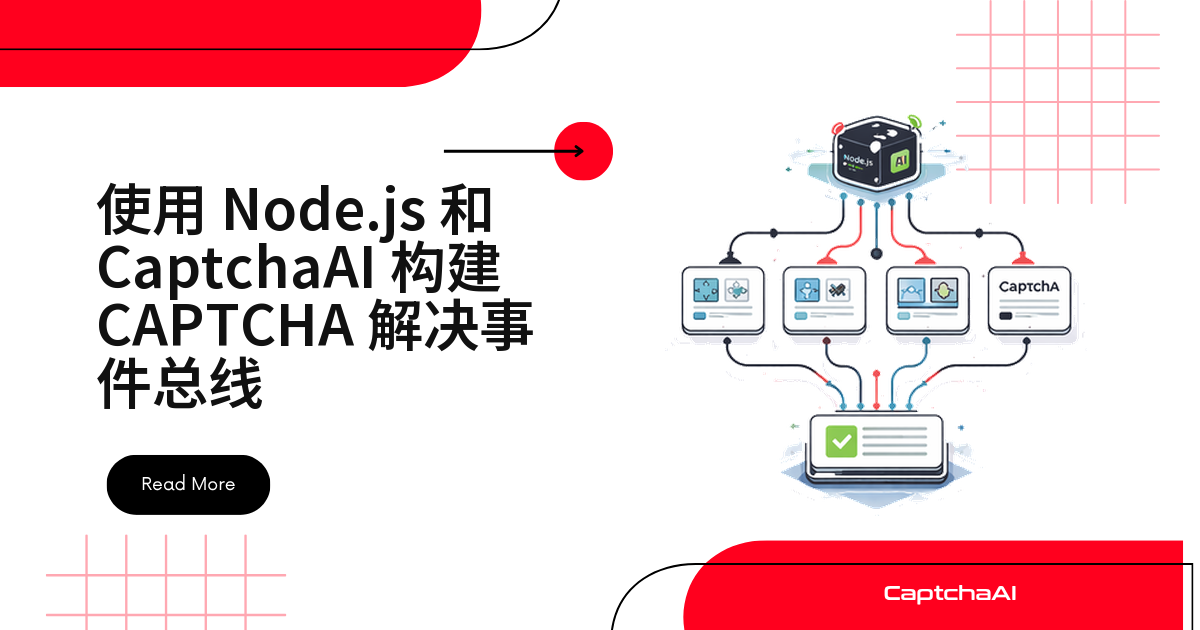
更简单的做法是用 Node.js 内置的 EventEmitter:把 submitted、pending、solved、failed、timeout 这几种状态各自广播出去,谁关心谁监听,互不干扰。
如果你的自动化系统需要同时对接 reCAPTCHA v2、Cloudflare Turnstile、GeeTest v3 这类不同验证码,把重试、指标采集、日志写入全塞进同一段回调代码,很快就会变成一团面条。
本文用一个可以直接复用的 CaptchaBus 类,演示怎样把 CaptchaAI 的求解生命周期变成事件流,并给出 JavaScript 和 Python 两种实现——如果你在国内网络环境下拉取依赖较慢,装包时可以加上淘宝镜像:npm install axios --registry=https://registry.npmmirror.com。
事件总线架构:谁广播,谁监听
整体结构如下:
[CaptchaBus]
   ├── emit("submitted", { taskId, type, pageurl })
   ├── emit("pending", { taskId, elapsed })
   ├── emit("solved", { taskId, solution, duration })
   ├── emit("failed", { taskId, error, duration })
   └── emit("timeout", { taskId, elapsed })
        ↓          ↓           ↓
   [Logger]    [Metrics]   [Retry Handler]
监听器彼此独立注册。
新增一个功能——比如接入指标收集——不需要改动求解逻辑里的任何一行代码。
这正是事件驱动架构相比过程式回调最大的优势:能力增加不会污染已有代码。
CaptchaBus 类:JavaScript 实现
下面这个 CaptchaBus 类继承 Node.js 内置的 EventEmitter,负责提交任务、后台轮询,并在五种生命周期节点上广播事件。
不管是 userrecaptcha、turnstile 还是 geetest,逻辑都不变,只是 method 参数不同:
const EventEmitter = require("events");
const axios = require("axios");

class CaptchaBus extends EventEmitter {
  constructor(apiKey, options = {}) {
    super();
    this.apiKey = apiKey;
    this.pollInterval = options.pollInterval || 5000;
    this.maxWait = options.maxWait || 300000; // 5 minutes
    this.pending = new Map();
  }

  async submit(params) {
    const { method, sitekey, pageurl, ...extra } = params;
    const taskId = `task_${Date.now()}_${Math.random().toString(36).slice(2, 8)}`;

    const submitParams = {
      key: this.apiKey,
      method: method || "userrecaptcha",
      googlekey: sitekey,
      pageurl: pageurl,
      json: 1,
      ...extra,
    };

    try {
      const resp = await axios.post(
        "https://ocr.captchaai.com/in.php",
        null,
        { params: submitParams }
      );

      if (resp.data.status !== 1) {
        this.emit("failed", {
          taskId,
          error: resp.data.request,
          duration: 0,
        });
        return null;
      }

      const captchaId = resp.data.request;
      const startTime = Date.now();

      this.emit("submitted", {
        taskId,
        captchaId,
        method: method || "userrecaptcha",
        pageurl,
      });

      // Start polling
      this._poll(taskId, captchaId, startTime);
      return taskId;
    } catch (err) {
      this.emit("failed", { taskId, error: err.message, duration: 0 });
      return null;
    }
  }

  async _poll(taskId, captchaId, startTime) {
    const check = async () => {
      const elapsed = Date.now() - startTime;

      if (elapsed > this.maxWait) {
        this.emit("timeout", { taskId, elapsed });
        return;
      }

      this.emit("pending", { taskId, elapsed });

      try {
        const resp = await axios.get("https://ocr.captchaai.com/res.php", {
          params: {
            key: this.apiKey,
            action: "get",
            id: captchaId,
            json: 1,
          },
        });

        if (resp.data.status === 1) {
          this.emit("solved", {
            taskId,
            captchaId,
            solution: resp.data.request,
            duration: Date.now() - startTime,
          });
        } else if (resp.data.request === "CAPCHA_NOT_READY") {
          setTimeout(check, this.pollInterval);
        } else {
          this.emit("failed", {
            taskId,
            error: resp.data.request,
            duration: Date.now() - startTime,
          });
        }
      } catch (err) {
        this.emit("failed", {
          taskId,
          error: err.message,
          duration: Date.now() - startTime,
        });
      }
    };

    setTimeout(check, this.pollInterval);
  }
}

module.exports = CaptchaBus;
日志、指标一次性接入监听器
CaptchaBus 实例化之后,日志、指标统计、告警可以各自注册一个监听器,互不干扰。
也不用改动 submit()/_poll() 里的任何代码:
const CaptchaBus = require("./captcha-bus");

const bus = new CaptchaBus(process.env.CAPTCHAAI_API_KEY, {
  pollInterval: 5000,
  maxWait: 120000,
});

// Logging listener
bus.on("submitted", (e) => {
  console.log(`[SUBMIT] ${e.taskId} → ${e.method} on ${e.pageurl}`);
});

bus.on("pending", (e) => {
  console.log(`[PENDING] ${e.taskId} — ${(e.elapsed / 1000).toFixed(1)}s`);
});

bus.on("solved", (e) => {
  console.log(
    `[SOLVED] ${e.taskId} in ${(e.duration / 1000).toFixed(1)}s — ${e.solution.substring(0, 30)}...`
  );
});

bus.on("failed", (e) => {
  console.error(`[FAILED] ${e.taskId} — ${e.error}`);
});

bus.on("timeout", (e) => {
  console.error(
    `[TIMEOUT] ${e.taskId} after ${(e.elapsed / 1000).toFixed(1)}s`
  );
});

// Metrics listener
const metrics = { submitted: 0, solved: 0, failed: 0, totalDuration: 0 };

bus.on("submitted", () => metrics.submitted++);
bus.on("solved", (e) => {
  metrics.solved++;
  metrics.totalDuration += e.duration;
});
bus.on("failed", () => metrics.failed++);

// Submit a CAPTCHA
bus.submit({
  sitekey: "6Le-wvkSAAAAAPBMRTvw0Q4Muexq9bi0DJwx_mJ-",
  pageurl: "https://example.com",
});
Python 版本:同样的事件语义
如果你的技术栈是 Python,不需要额外框架,一个监听器字典就能实现同样的事件驱动模式。
轮询放进后台线程里跑:
import os
import time
import threading
from collections import defaultdict
import requests


class CaptchaBus:
    def __init__(self, api_key, poll_interval=5, max_wait=300):
        self.api_key = api_key
        self.poll_interval = poll_interval
        self.max_wait = max_wait
        self._listeners = defaultdict(list)

    def on(self, event, callback):
        """Register a listener for an event."""
        self._listeners[event].append(callback)
        return self

    def emit(self, event, data):
        """Emit an event to all registered listeners."""
        for callback in self._listeners.get(event, []):
            try:
                callback(data)
            except Exception as e:
                print(f"Listener error on {event}: {e}")

    def submit(self, sitekey, pageurl, method="userrecaptcha", **extra):
        """Submit a CAPTCHA and begin tracking."""
        task_id = f"task_{int(time.time())}_{id(sitekey) % 10000}"

        resp = requests.post("https://ocr.captchaai.com/in.php", data={
            "key": self.api_key,
            "method": method,
            "googlekey": sitekey,
            "pageurl": pageurl,
            "json": 1,
            **extra
        })
        data = resp.json()

        if data.get("status") != 1:
            self.emit("failed", {
                "task_id": task_id,
                "error": data.get("request"),
                "duration": 0
            })
            return None

        captcha_id = data["request"]
        start_time = time.time()

        self.emit("submitted", {
            "task_id": task_id,
            "captcha_id": captcha_id,
            "method": method,
            "pageurl": pageurl
        })

        # Poll in a background thread
        thread = threading.Thread(
            target=self._poll,
            args=(task_id, captcha_id, start_time),
            daemon=True
        )
        thread.start()
        return task_id

    def _poll(self, task_id, captcha_id, start_time):
        while True:
            elapsed = time.time() - start_time

            if elapsed > self.max_wait:
                self.emit("timeout", {"task_id": task_id, "elapsed": elapsed})
                return

            time.sleep(self.poll_interval)
            self.emit("pending", {"task_id": task_id, "elapsed": elapsed})

            resp = requests.get("https://ocr.captchaai.com/res.php", params={
                "key": self.api_key,
                "action": "get",
                "id": captcha_id,
                "json": 1
            })
            data = resp.json()

            if data.get("status") == 1:
                self.emit("solved", {
                    "task_id": task_id,
                    "solution": data["request"],
                    "duration": time.time() - start_time
                })
                return
            elif data.get("request") != "CAPCHA_NOT_READY":
                self.emit("failed", {
                    "task_id": task_id,
                    "error": data.get("request"),
                    "duration": time.time() - start_time
                })
                return


# Usage
bus = CaptchaBus(os.environ["CAPTCHAAI_API_KEY"])

bus.on("submitted", lambda e: print(f"[SUBMIT] {e['task_id']}"))
bus.on("solved", lambda e: print(f"[SOLVED] {e['task_id']} in {e['duration']:.1f}s"))
bus.on("failed", lambda e: print(f"[FAILED] {e['task_id']} — {e['error']}"))
bus.on("timeout", lambda e: print(f"[TIMEOUT] {e['task_id']}"))

bus.submit("6Le-wvkSAAAAAPBMRTvw0Q4Muexq9bi0DJwx_mJ-", "https://example.com")
进阶用法:用监听器实现自动重试
失败重试本身也可以只是一个监听器。
不需要侵入 submit() 的实现:
// Automatic retry on failure
bus.on("failed", async (e) => {
  if (e.retryCount >= 3) {
    console.error(`[GIVE UP] ${e.taskId} after 3 retries`);
    return;
  }

  console.log(`[RETRY] ${e.taskId} — attempt ${(e.retryCount || 0) + 1}`);
  await bus.submit({
    ...e.originalParams,
    _retryCount: (e.retryCount || 0) + 1,
  });
});
进阶用法:封装成 Promise 风格 API
有些调用方更习惯 async/await,而不是监听事件。
这种情况下,可以在事件总线外面再包一层 Promise:
function solveCaptcha(bus, params) {
  return new Promise((resolve, reject) => {
    const taskId = bus.submit(params);

    function onSolved(e) {
      if (e.taskId === taskId) {
        cleanup();
        resolve(e.solution);
      }
    }

    function onFailed(e) {
      if (e.taskId === taskId) {
        cleanup();
        reject(new Error(e.error));
      }
    }

    function cleanup() {
      bus.removeListener("solved", onSolved);
      bus.removeListener("failed", onFailed);
      bus.removeListener("timeout", onFailed);
    }

    bus.on("solved", onSolved);
    bus.on("failed", onFailed);
    bus.on("timeout", onFailed);
  });
}

// Usage
const solution = await solveCaptcha(bus, {
  sitekey: "6Le-wvkSAAAAAPBMRTvw0Q4Muexq9bi0DJwx_mJ-",
  pageurl: "https://example.com",
});
常见故障排查
| 问题 | 原因 | 处理方式 |
|---|---|---|
| 监听器不触发 | 事件名拼写不一致(比如注册的是 solve 而广播的是 solved) |
逐一核对 emit() 和 on() 里用的事件名,确保完全一致 |
| 出现内存泄漏警告 | 同一个事件上注册了太多监听器 | 调用 setMaxListeners() 调高上限,或在用完后及时移除监听器 |
| 控制台被 pending 事件刷屏 | 轮询间隔设得太短 | 把 pollInterval 调到 5000 毫秒以上 |
| 重试之后事件对不上 | 重试会生成一个全新的 taskId | 把原始参数一起传下去,重新绑定状态 |
常见问题
事件总线能同时处理 reCAPTCHA v2、Turnstile 和 GeeTest v3 吗?
可以。CaptchaBus 本身不关心验证码类型,类型由 submit() 传入的 method 参数决定(userrecaptcha、turnstile、geetest)。
同一个实例上监听 solved/failed 就够了,不需要为每种类型分别写一套求解逻辑。
需要引入 Kafka、RabbitMQ 这样的消息队列吗?
单进程应用没必要——进程内的 EventEmitter 更简单也更快。
只有当多个进程或多个服务都要对同一批验证码事件做出反应时,才值得上外部消息队列。
监听器越加越多,会不会导致内存泄漏?
Node.js 默认给单个事件最多挂 10 个监听器,超过会打印警告,但不代表一定内存泄漏。
长期运行的服务里,记得在监听器用完后调用 removeListener(),或者用 once() 注册一次性监听器。
想保留完整的求解记录做审计,应该怎么做?
给 submitted/solved/failed 都挂一个监听器,把事件写进 JSONL 文件或数据库即可。
不需要改动 submit()/_poll() 里的任何一行求解逻辑。
相关文章
下一步
把回调堆叠改成事件驱动。
获取你的 CaptchaAI API 密钥,接入你自己的验证码事件总线。
相关指南:
- 回调 URL 和 Webhook 指南
- SSE 实时通知
- 回调错误处理模式