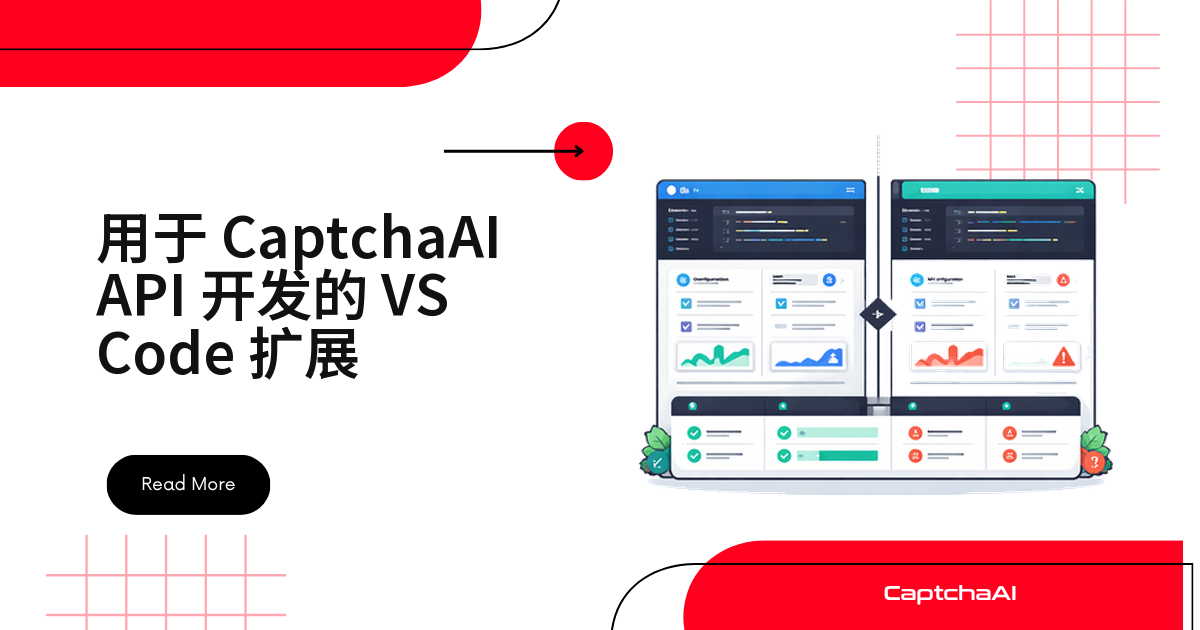
一个够用的 CaptchaAI 开发扩展并不大:两个目录、五个文件,核心逻辑不到 300 行——查余额、提交识别任务、找 sitekey 全在编辑器里完成。
扩展的四项能力
| 能力 | 做什么 |
|---|---|
| 余额状态栏 | 常驻显示余额,每 5 分钟刷新 |
| 识别命令 | 命令面板提交 reCAPTCHA v2 或 Turnstile 任务 |
| sitekey 扫描 | 正则扫当前文件列出 sitekey |
| 代码片段 | 展开 reCAPTCHA v2、Turnstile 调用样板 |
前提与工程骨架
- Node.js 18 及以上:扩展用全局
fetch。 - VS Code 1.80 及以上,与
engines.vscode一致。 - 出站放行
ocr.captchaai.com,否则状态栏会停在“离线”。
目录就这几个路径:
captchaai-vscode/
├── package.json
├── src/
│   └── extension.js
├── snippets/
│   ├── python.json
│   └── javascript.json
└── README.md
动手前先 curl 一次
https://ocr.captchaai.com/res.php。
密钥与本地环境的三件事
- VS Code 的设置是磁盘上一份明文 JSON,随 Git 或 Settings Sync 同步就会外泄:用
SecretStorage写进钥匙串,再加 API 密钥 IP 白名单。 yo code与vsce都走 npm,registry 指向域内镜像会快很多,requests同理。- reCAPTCHA 依赖 Google 托管脚本,国内网络下测试页可能转圈,先用 Turnstile 做本地对照。
package.json:命令与配置的声明入口
四条命令、三个配置项、两份片段文件都写在 contributes 里,运行时不必再注册:
{
  "name": "captchaai-dev-tools",
  "displayName": "CaptchaAI Dev Tools",
  "description": "CaptchaAI API development tools for VS Code",
  "version": "1.0.0",
  "engines": { "vscode": "^1.80.0" },
  "categories": ["Snippets", "Other"],
  "activationEvents": ["onStartupFinished"],
  "main": "./src/extension.js",
  "contributes": {
    "commands": [
      {
        "command": "captchaai.checkBalance",
        "title": "CaptchaAI: Check Balance"
      },
      {
        "command": "captchaai.solveRecaptcha",
        "title": "CaptchaAI: Solve reCAPTCHA v2"
      },
      {
        "command": "captchaai.solveTurnstile",
        "title": "CaptchaAI: Solve Turnstile"
      },
      {
        "command": "captchaai.detectSitekey",
        "title": "CaptchaAI: Detect Sitekey in File"
      }
    ],
    "configuration": {
      "title": "CaptchaAI",
      "properties": {
        "captchaai.apiKey": {
          "type": "string",
          "default": "",
          "description": "Your CaptchaAI API key"
        },
        "captchaai.showBalance": {
          "type": "boolean",
          "default": true,
          "description": "Show balance in status bar"
        },
        "captchaai.pollInterval": {
          "type": "number",
          "default": 5,
          "description": "Poll interval in seconds"
        }
      }
    },
    "snippets": [
      {
        "language": "python",
        "path": "./snippets/python.json"
      },
      {
        "language": "javascript",
        "path": "./snippets/javascript.json"
      }
    ]
  }
}
pollInterval单位是秒(默认 5),代码里乘 1000 转成毫秒。
extension.js:三块互不相干的逻辑
状态栏每 5 分钟拉一次余额;识别命令走“提交 → 轮询 → 写剪贴板”,用 withProgress 显示进度;sitekey 扫描是纯正则,不发请求。
// src/extension.js
const vscode = require("vscode");

const API_BASE = "https://ocr.captchaai.com";

function getApiKey() {
  const config = vscode.workspace.getConfiguration("captchaai");
  const key = config.get("apiKey");
  if (!key) {
    vscode.window.showErrorMessage(
      "CaptchaAI: Set your API key in Settings → CaptchaAI"
    );
    return null;
  }
  return key;
}

// --- Balance Status Bar ---

let balanceStatusBar;
let balanceInterval;

async function updateBalance() {
  const key = getApiKey();
  if (!key) return;

  try {
    const url = new URL(`${API_BASE}/res.php`);
    url.searchParams.set("key", key);
    url.searchParams.set("action", "getbalance");
    url.searchParams.set("json", "1");

    const response = await fetch(url);
    const result = await response.json();

    if (result.status === 1) {
      const balance = parseFloat(result.request).toFixed(2);
      balanceStatusBar.text = `$(credit-card) CaptchaAI: $${balance}`;
      balanceStatusBar.tooltip = `CaptchaAI Balance: $${balance}`;
    } else {
      balanceStatusBar.text = "$(warning) CaptchaAI: Error";
    }
  } catch {
    balanceStatusBar.text = "$(warning) CaptchaAI: Offline";
  }
}

// --- Solve Command ---

async function solveCaptcha(method, extraFields) {
  const key = getApiKey();
  if (!key) return;

  const sitekey = await vscode.window.showInputBox({
    prompt: "Enter the CAPTCHA sitekey",
    placeHolder: "6LeIxAcTAAAAAJcZ...",
  });
  if (!sitekey) return;

  const pageurl = await vscode.window.showInputBox({
    prompt: "Enter the page URL",
    placeHolder: "https://example.com",
  });
  if (!pageurl) return;

  const params = {
    key,
    method,
    pageurl,
    json: 1,
    ...extraFields,
  };

  if (method === "userrecaptcha") {
    params.googlekey = sitekey;
  } else {
    params.sitekey = sitekey;
  }

  // Submit
  vscode.window.withProgress(
    {
      location: vscode.ProgressLocation.Notification,
      title: "CaptchaAI: Solving...",
      cancellable: true,
    },
    async (progress, cancellation) => {
      try {
        const submitResponse = await fetch(`${API_BASE}/in.php`, {
          method: "POST",
          body: new URLSearchParams(params),
        });
        const submitResult = await submitResponse.json();

        if (submitResult.status !== 1) {
          vscode.window.showErrorMessage(
            `CaptchaAI: ${submitResult.request || "Submit failed"}`
          );
          return;
        }

        const taskId = submitResult.request;
        progress.report({ message: `Task ${taskId} submitted` });

        // Poll
        const config = vscode.workspace.getConfiguration("captchaai");
        const interval = config.get("pollInterval") * 1000;

        for (let i = 0; i < 60; i++) {
          if (cancellation.isCancellationRequested) return;

          await new Promise((r) => setTimeout(r, interval));

          const pollUrl = new URL(`${API_BASE}/res.php`);
          pollUrl.searchParams.set("key", key);
          pollUrl.searchParams.set("action", "get");
          pollUrl.searchParams.set("id", taskId);
          pollUrl.searchParams.set("json", "1");

          const pollResponse = await fetch(pollUrl);
          const pollResult = await pollResponse.json();

          if (pollResult.request === "CAPCHA_NOT_READY") {
            progress.report({ message: `Waiting... (${(i + 1) * (interval / 1000)}s)` });
            continue;
          }

          if (pollResult.status === 1) {
            const token = pollResult.request;

            // Copy to clipboard
            await vscode.env.clipboard.writeText(token);
            vscode.window.showInformationMessage(
              `CaptchaAI: Solved! Token copied to clipboard (${token.length} chars)`
            );

            // Also insert at cursor if editor is active
            const editor = vscode.window.activeTextEditor;
            if (editor) {
              const action = await vscode.window.showQuickPick(
                ["Copy only", "Insert at cursor"],
                { placeHolder: "Token copied. Insert into editor?" }
              );
              if (action === "Insert at cursor") {
                editor.edit((editBuilder) => {
                  editBuilder.insert(editor.selection.active, token);
                });
              }
            }
            return;
          }

          vscode.window.showErrorMessage(
            `CaptchaAI: ${pollResult.request || "Solve failed"}`
          );
          return;
        }

        vscode.window.showErrorMessage("CaptchaAI: Solve timed out");
      } catch (err) {
        vscode.window.showErrorMessage(`CaptchaAI: ${err.message}`);
      }
    }
  );
}

// --- Sitekey Detection ---

async function detectSitekey() {
  const editor = vscode.window.activeTextEditor;
  if (!editor) {
    vscode.window.showWarningMessage("No active editor");
    return;
  }

  const text = editor.document.getText();
  const patterns = [
    { regex: /data-sitekey=["']([^"']+)["']/g, type: "HTML data-sitekey" },
    { regex: /googlekey['":\s]+["']([a-zA-Z0-9_-]{40})["']/g, type: "API googlekey" },
    { regex: /sitekey['":\s]+["']([a-zA-Z0-9_-]{20,})["']/g, type: "sitekey parameter" },
    { regex: /render=([a-zA-Z0-9_-]{40})/g, type: "reCAPTCHA render" },
  ];

  const found = [];
  for (const { regex, type } of patterns) {
    let match;
    while ((match = regex.exec(text)) !== null) {
      found.push({ key: match[1], type, position: match.index });
    }
  }

  if (found.length === 0) {
    vscode.window.showInformationMessage("No sitekeys found in current file");
    return;
  }

  const items = found.map((f) => ({
    label: f.key,
    description: f.type,
    detail: `Position: ${f.position}`,
    key: f.key,
  }));

  const selected = await vscode.window.showQuickPick(items, {
    placeHolder: `Found ${found.length} sitekey(s) — select to copy`,
  });

  if (selected) {
    await vscode.env.clipboard.writeText(selected.key);
    vscode.window.showInformationMessage(`Sitekey copied: ${selected.key}`);
  }
}

// --- Activation ---

function activate(context) {
  // Balance status bar
  const config = vscode.workspace.getConfiguration("captchaai");

  if (config.get("showBalance")) {
    balanceStatusBar = vscode.window.createStatusBarItem(
      vscode.StatusBarAlignment.Right,
      100
    );
    balanceStatusBar.command = "captchaai.checkBalance";
    balanceStatusBar.text = "$(credit-card) CaptchaAI";
    balanceStatusBar.show();

    updateBalance();
    balanceInterval = setInterval(updateBalance, 300000); // Every 5 minutes

    context.subscriptions.push(balanceStatusBar);
  }

  // Register commands
  context.subscriptions.push(
    vscode.commands.registerCommand("captchaai.checkBalance", async () => {
      await updateBalance();
      vscode.window.showInformationMessage(balanceStatusBar.tooltip);
    }),

    vscode.commands.registerCommand("captchaai.solveRecaptcha", () => {
      solveCaptcha("userrecaptcha", {});
    }),

    vscode.commands.registerCommand("captchaai.solveTurnstile", () => {
      solveCaptcha("turnstile", {});
    }),

    vscode.commands.registerCommand("captchaai.detectSitekey", detectSitekey)
  );
}

function deactivate() {
  if (balanceInterval) clearInterval(balanceInterval);
}

module.exports = { activate, deactivate };
轮询最多 60 次,默认 5 秒间隔即 5 分钟上限,命中
CAPCHA_NOT_READY继续等。
两份代码片段:不打包也能用
两份 JSON 的条目复制进 .vscode/captchaai.code-snippets 就能用,输入前缀即展开。
Python 片段
cai-recaptcha-v2 是提交加轮询的完整循环,${1} 在两处 API Key 间联动。
{
  "CaptchaAI reCAPTCHA v2": {
    "prefix": "cai-recaptcha-v2",
    "body": [
      "import requests",
      "",
      "# Submit reCAPTCHA v2 task",
      "response = requests.post(",
      "    \"https://ocr.captchaai.com/in.php\",",
      "    data={",
      "        \"key\": \"${1:YOUR_API_KEY}\",",
      "        \"method\": \"userrecaptcha\",",
      "        \"googlekey\": \"${2:SITE_KEY}\",",
      "        \"pageurl\": \"${3:https://example.com}\",",
      "        \"json\": 1,",
      "    },",
      ")",
      "task_id = response.json()[\"request\"]",
      "",
      "# Poll for result",
      "import time",
      "while True:",
      "    time.sleep(5)",
      "    result = requests.get(",
      "        \"https://ocr.captchaai.com/res.php\",",
      "        params={\"key\": \"${1}\", \"action\": \"get\", \"id\": task_id, \"json\": 1},",
      "    ).json()",
      "    if result[\"request\"] != \"CAPCHA_NOT_READY\":",
      "        token = result[\"request\"]",
      "        break"
    ],
    "description": "CaptchaAI reCAPTCHA v2 solve"
  },
  "CaptchaAI Turnstile": {
    "prefix": "cai-turnstile",
    "body": [
      "import requests",
      "",
      "response = requests.post(",
      "    \"https://ocr.captchaai.com/in.php\",",
      "    data={",
      "        \"key\": \"${1:YOUR_API_KEY}\",",
      "        \"method\": \"turnstile\",",
      "        \"sitekey\": \"${2:SITE_KEY}\",",
      "        \"pageurl\": \"${3:https://example.com}\",",
      "        \"json\": 1,",
      "    },",
      ")",
      "task_id = response.json()[\"request\"]"
    ],
    "description": "CaptchaAI Turnstile solve"
  },
  "CaptchaAI Balance Check": {
    "prefix": "cai-balance",
    "body": [
      "import requests",
      "",
      "balance = requests.get(",
      "    \"https://ocr.captchaai.com/res.php\",",
      "    params={\"key\": \"${1:YOUR_API_KEY}\", \"action\": \"getbalance\", \"json\": 1},",
      ").json()",
      "print(f\"Balance: \\${balance['request']}\")"
    ],
    "description": "CaptchaAI balance check"
  }
}
JavaScript 片段
同一条链路的 fetch 写法,区别在 URLSearchParams 的写法上:
{
  "CaptchaAI reCAPTCHA v2": {
    "prefix": "cai-recaptcha-v2",
    "body": [
      "const response = await fetch('https://ocr.captchaai.com/in.php', {",
      "  method: 'POST',",
      "  body: new URLSearchParams({",
      "    key: '${1:YOUR_API_KEY}',",
      "    method: 'userrecaptcha',",
      "    googlekey: '${2:SITE_KEY}',",
      "    pageurl: '${3:https://example.com}',",
      "    json: 1,",
      "  }),",
      "});",
      "const { request: taskId } = await response.json();",
      "",
      "// Poll for result",
      "let token;",
      "while (true) {",
      "  await new Promise(r => setTimeout(r, 5000));",
      "  const url = new URL('https://ocr.captchaai.com/res.php');",
      "  url.searchParams.set('key', '${1}');",
      "  url.searchParams.set('action', 'get');",
      "  url.searchParams.set('id', taskId);",
      "  url.searchParams.set('json', '1');",
      "  const result = await (await fetch(url)).json();",
      "  if (result.request !== 'CAPCHA_NOT_READY') {",
      "    token = result.request;",
      "    break;",
      "  }",
      "}"
    ],
    "description": "CaptchaAI reCAPTCHA v2 solve"
  }
}
method 换成 geetest 或 post,即可扩到 GeeTest v3 与图片验证码;国内站点多用 GeeTest(极验),本地复现更容易。
排错对照表
编辑器里的问题基本落在这四条上:
| 现象 | 原因 | 处理方式 |
|---|---|---|
| 余额显示“离线” | 网络不通 | 确认 ocr.captchaai.com 可访问 |
| 提示填 API 密钥 | 配置为空 | 设置里搜 CaptchaAI 填 API Key |
| 识别超时 | 任务失败或网络慢 | 调大轮询间隔,核对 sitekey |
| 扫不出 sitekey | 没有可匹配写法 | 确认文件里有 data-sitekey |
常见问题
片段里能加 hCaptcha 或 GeeTest v4 吗?
不能。CaptchaAI 不支持 hCaptcha 与 FunCaptcha,GeeTest v4 只是“即将支持”。片段里只放这些:
- 已上线:reCAPTCHA v2/v3、Turnstile、Cloudflare Challenge、GeeTest v3、图片与九宫格验证码、BLS。
- 测试版:CaptchaFox、Friendly Captcha、Lemin。
在编辑器里手动提交任务会多扣费吗?
不会。CaptchaAI 按并发线程计费而非按次计费,套餐内识别次数不设上限。BASIC 套餐 $15/月、5 线程,手动调试只占线程。
怎么把扩展发给团队?
vsce package出一个 vsix。- 同事执行
code --install-extension captchaai-dev-tools-1.0.0.vsix,API Key 各自填。 - 想上架公开市场,走 官方发布流程。
下一步
注册取得 API Key,照上面的 package.json 建工程,按 F5 就能看到第一条余额。