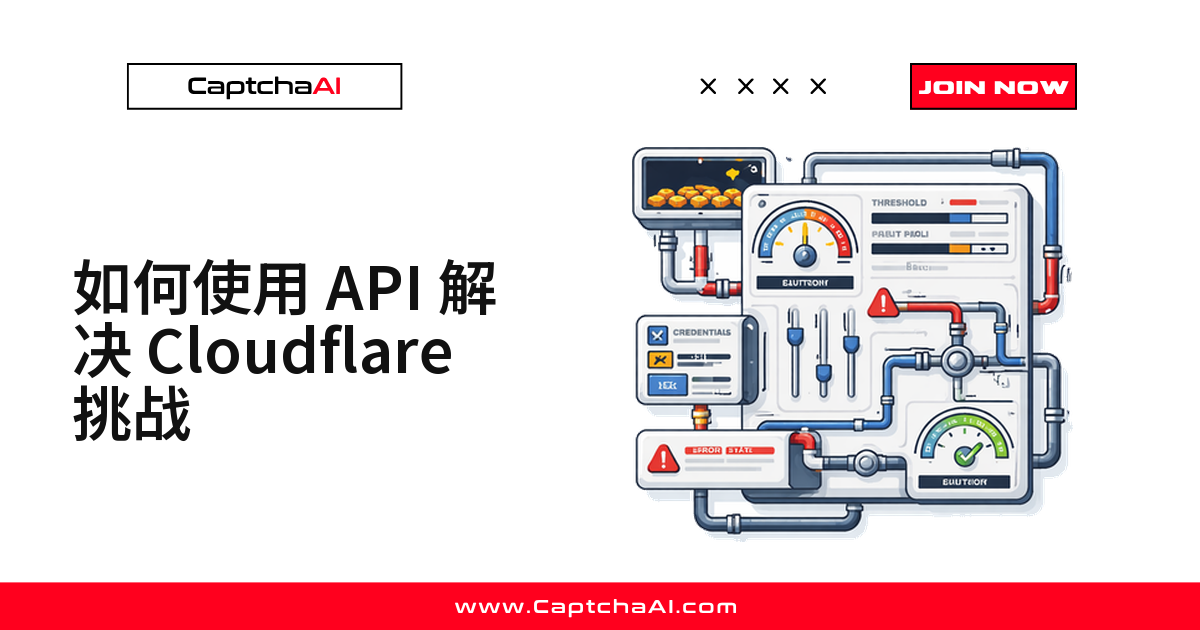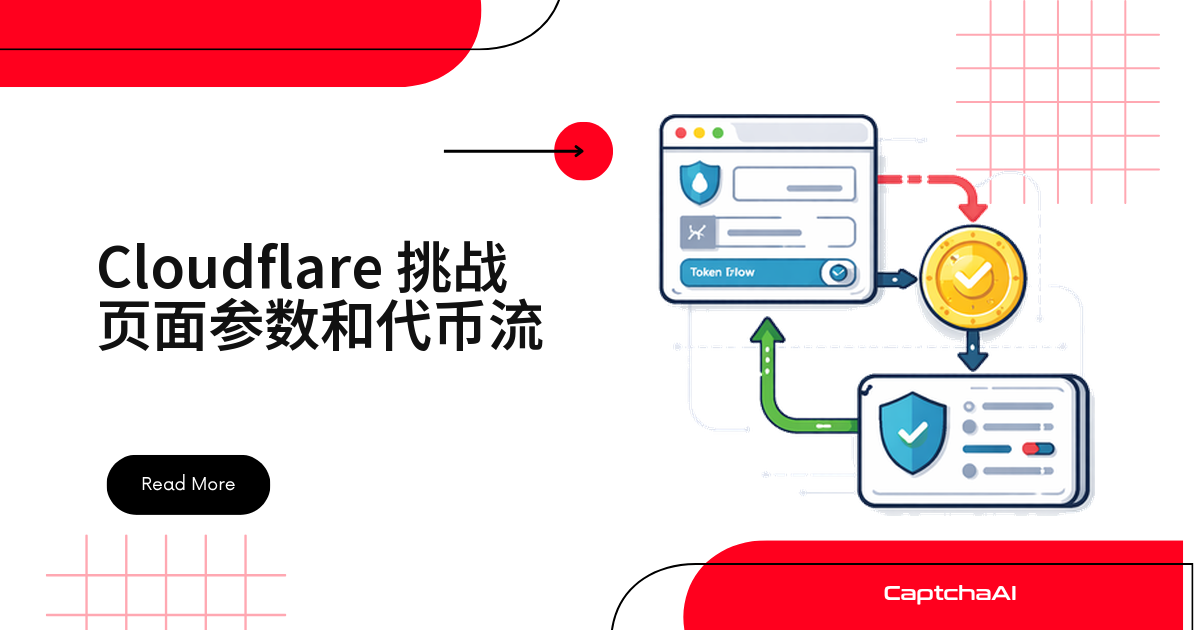
打开一个被 Cloudflare 保护的页面,看到"Just a moment..."和转圈动画时,浏览器背后其实已经在跑一整套 token 校验流程:503 响应里带出 ray、md 等参数,JavaScript 在后台算完工作量证明,再写入 qa_session_cookie,整个过程可能只有几秒钟。
搞懂这套参数和流程,才能真正定位自动化脚本卡在哪一步、qa_session_cookie 为什么总是被拒绝。
Cloudflare 挑战页面结构拆解
Cloudflare 挑战页面(HTTP 503)包含几个关键元素:
<!DOCTYPE html>
<html>
<head>
    <title>Just a moment...</title>
    <meta http-equiv="Content-Type" content="text/html; charset=UTF-8">
</head>
<body>
    <div id="challenge-stage">
        <div id="challenge-body-text">
            Checking if the site connection is secure
        </div>
        <div id="challenge-spinner">
            <!-- Loading spinner -->
        </div>
    </div>

    <div id="challenge-form" style="display:none">
        <form id="challenge-form" action="/..." method="POST">
            <!-- Hidden parameters -->
            <input type="hidden" name="md" value="...">
            <input type="hidden" name="r" value="...">
        </form>
    </div>

    <script src="/cdn-cgi/challenge-platform/h/g/orchestrate/chl_page/v1?ray=...">
    </script>
</body>
</html>
挑战页面参数
ray(Cloudflare Ray ID)—— 唯一的请求标识符,把挑战和原始请求关联起来md(挑战元数据)—— 加密的挑战状态r(响应值)—— 计算得到的答案,由 JavaScript 填充chl_opt(挑战选项)—— 挑战脚本的配置cRay(挑战关联 Ray ID)—— 用于跟踪挑战会话的辅助标识cZone(所属区域)—— Cloudflare zone IDcUPMDTk(时间戳)—— 挑战下发的时间cHash(挑战哈希)—— 完整性校验
挑战脚本 URL 参数
/cdn-cgi/challenge-platform/h/g/orchestrate/chl_page/v1?ray=ABC123
/cdn-cgi/challenge-platform/—— Cloudflare 挑战基础设施h/g/—— 挑战版本 / 变体orchestrate/—— 挑战编排端点chl_page/v1—— 挑战页面版本ray=ABC123—— 与请求 Ray ID 绑定
JavaScript 载荷参数
挑战脚本加载后会带出额外参数:
// Extracted from obfuscated challenge script
window._cf_chl_opt = {
    cvId: '2',           // Challenge version
    cType: 'managed',    // Challenge type
    cNounce: '...',      // Cryptographic nonce
    cRay: '...',         // Challenge Ray ID
    cHash: '...',        // Challenge hash
    cUPMDTk: '...',      // Timestamp
    cFPWv: 'g',          // Fingerprint version
    cTTimeMs: '4000',    // Minimum wait time (ms)
    cTplV: 5,            // Template version
    cLt: '...',          // Challenge lifetime
    cRq: {},             // Challenge request data
};
从挑战到放行:token 是怎么生成的
完整的九步流程如下:
1. CLIENT → CLOUDFLARE EDGE
   GET /protected-page
   ↓

2. CLOUDFLARE → CLIENT
   HTTP 503 + Challenge page HTML
   Sets: __cf_bm cookie (bot management tracking)
   Contains: ray ID, challenge script URL
   ↓

3. CLIENT (browser)
   Loads challenge script from /cdn-cgi/challenge-platform/...
   ↓

4. CHALLENGE SCRIPT EXECUTES:
   a. Collects browser feature:

      - canvas-feature (feature)
      - WebGL (feature)
      - Screen dimensions
      - Installed fonts
      - Timezone
      - Language
   b. Runs proof-of-work:

      - Iterates hash computations
      - Must find answer matching difficulty
   c. Computes timing:

      - Enforces minimum wait (cTTimeMs)
      - Records actual timing
   d. Generates response token:

      - Combines feature + PoW answer + timing
      - Encrypts with challenge nonce
   ↓

5. CLIENT → CLOUDFLARE
   POST /cdn-cgi/challenge-platform/h/g/flow/ov1/...
   Body: { r: "encrypted_response", md: "metadata", ... }
   ↓

6. CLOUDFLARE validates:
   - Proof-of-work answer correct?
   - Timing within acceptable range?
   - Fingerprint consistent with real browser?
   - No replay (nonce check)?
   ↓

7. CLOUDFLARE → CLIENT
   HTTP 200 + Set-Cookie: qa_session_cookie=...; path=/; expires=...
   + HTTP redirect to original URL
   ↓

8. CLIENT → CLOUDFLARE
   GET /protected-page
   Cookie: qa_session_cookie=...
   ↓

9. CLOUDFLARE → CLIENT
   HTTP 200 + Protected content
整个过程中的 cookie 时间线如下:
Request 1: No cookies
    → Challenge page (503)
    → __cf_bm cookie set

Challenge solve:
    → qa_session_cookie cookie set

Request 2+: qa_session_cookie + __cf_bm
    → Content served (200)

After ~30 mins: qa_session_cookie expires
    → Next request triggers new challenge
挑战相关的 Cookie
__cf_bm—— 机器人管理会话跟踪,30 分钟(域级)qa_session_cookie—— 挑战通关证明,15 分钟至 24 小时可配置(域级)__cflb—— 负载均衡器亲和性,会话期间(域级)_cfuvid—— 唯一访客 ID,会话期间(域级)
qa_session_cookie 的绑定规则
qa_session_cookie 会绑定到:
- IP 地址 —— 必须来自解决挑战时使用的同一 IP
- User-Agent —— 必须和解决挑战时用的 UA 一致
- 域名 —— 只对签发它的域名有效
# ❌ FAILS — IP mismatch
# Solve challenge from IP A, then use qa_session_cookie from IP B

# ❌ FAILS — UA mismatch
# Solve with Chrome UA, then send requests with Firefox UA

# ✅ WORKS — Same IP + Same UA
session = requests.Session()
session.headers["User-Agent"] = "Mozilla/5.0 ... Chrome/120.0.0.0"
# Use same session for solving and subsequent requests
国内团队用海外 CI(比如 GitHub Actions)跑自动化测试时最容易踩这条规则:出口 IP 一旦漂移,或者 UA 和解决挑战时不一致,qa_session_cookie 会立刻被拒绝。
报错看起来像"随机失败",其实是 IP/UA 没对齐。
如何提取挑战参数
Python 版本的提取脚本:
import re
import requests

def extract_challenge_params(url):
    """Extract Cloudflare 验证流程 page parameters."""
    headers = {
        "User-Agent": "Mozilla/5.0 (Windows NT 10.0; Win64; x64) "
                      "AppleWebKit/537.36 Chrome/120.0.0.0",
        "Accept": "text/html,*/*;q=0.8",
        "Accept-Language": "en-US,en;q=0.9",
    }

    response = requests.get(url, headers=headers, timeout=15, allow_redirects=False)
    html = response.text

    params = {
        "status_code": response.status_code,
        "cf_ray": response.headers.get("cf-ray", ""),
        "is_challenge": response.status_code == 503,
    }

    if not params["is_challenge"]:
        return params

    # Extract Ray ID from page
    ray_match = re.search(r"ray['\"]?\s*[:=]\s*['\"]([a-f0-9]+)['\"]", html, re.I)
    if ray_match:
        params["ray_id"] = ray_match.group(1)

    # Extract challenge script URL
    script_match = re.search(
        r'src=["\'](/cdn-cgi/challenge-platform/[^"\']+)["\']', html
    )
    if script_match:
        params["challenge_script"] = script_match.group(1)

    # Extract challenge options
    opt_match = re.search(r"_cf_chl_opt\s*=\s*\{([^}]+)\}", html)
    if opt_match:
        opt_text = opt_match.group(1)

        # Parse individual options
        for key in ["cType", "cRay", "cHash", "cTTimeMs", "cvId", "cFPWv"]:
            val_match = re.search(
                rf"{key}\s*:\s*['\"]?([^'\"', }}]+)", opt_text
            )
            if val_match:
                params[key] = val_match.group(1)

    # Extract form parameters
    md_match = re.search(r'name=["\']md["\']\s+value=["\']([^"\']+)["\']', html)
    if md_match:
        params["md"] = md_match.group(1)

    # Extract cookies from response
    params["cookies"] = {
        name: value
        for name, value in response.cookies.items()
    }

    return params


# Usage
params = extract_challenge_params("https://protected-site.com")
if params["is_challenge"]:
    print(f"Challenge type: {params.get('cType', 'unknown')}")
    print(f"Ray ID: {params.get('ray_id', params['cf_ray'])}")
    print(f"Min wait: {params.get('cTTimeMs', '?')}ms")
    print(f"Script: {params.get('challenge_script', 'not found')}")
Node.js 版本对比:
const axios = require("axios");

async function extractChallengeParams(url) {
  const response = await axios.get(url, {
    headers: {
      "User-Agent": "Mozilla/5.0 Chrome/120.0.0.0",
      Accept: "text/html,*/*;q=0.8",
    },
    validateStatus: () => true,
    maxRedirects: 0,
  });

  const html = response.data;
  const params = {
    statusCode: response.status,
    cfRay: response.headers["cf-ray"] || "",
    isChallenge: response.status === 503,
  };

  if (!params.isChallenge) return params;

  // Extract challenge script URL
  const scriptMatch = html.match(
    /src=["'](\/cdn-cgi\/challenge-platform\/[^"']+)["']/
  );
  if (scriptMatch) params.challengeScript = scriptMatch[1];

  // Extract challenge type
  const typeMatch = html.match(/cType\s*:\s*['"]?(\w+)/);
  if (typeMatch) params.challengeType = typeMatch[1];

  // Extract timing
  const timeMatch = html.match(/cTTimeMs\s*:\s*['"]?(\d+)/);
  if (timeMatch) params.minWaitMs = parseInt(timeMatch[1]);

  return params;
}

extractChallengeParams("https://protected-site.com").then(console.log);
用 CaptchaAI 自动处理整个流程
CaptchaAI 在内部完整处理这套 token 流程,生产环境里不用自己维护提取逻辑,也不需要手动解析挑战参数:
import requests
import time

API_KEY = "YOUR_API_KEY"

def solve_cloudflare_challenge(target_url):
    """Solve Cloudflare 验证流程 page — CaptchaAI handles token flow."""
    submit = requests.post("https://ocr.captchaai.com/in.php", data={
        "key": API_KEY,
        "method": "cloudflare_challenge",
        "sitekey": "managed",
        "pageurl": target_url,
        "json": 1,
    })

    task_id = submit.json()["request"]

    for _ in range(60):
        time.sleep(5)
        result = requests.get("https://ocr.captchaai.com/res.php", params={
            "key": API_KEY,
            "action": "get",
            "id": task_id,
            "json": 1,
        }).json()

        if result.get("status") == 1:
            return result["request"]

    raise TimeoutError("Challenge solve timed out")


# CaptchaAI handles the full flow:
# 1. Loads the challenge page
# 2. Executes JavaScript
# 3. Solves proof-of-work
# 4. Returns clearance token/cookies
token = solve_cloudflare_challenge("https://protected-site.com/login")
挑战失败时如何排查
先看几个常见故障点(现象 → 根本原因):
- 挑战页面加载不出来 → 超时或空响应,通常是网络或代理问题
- 脚本执行失败 → 挑战循环出现,通常缺少 JavaScript API
- 工作量证明算不出来 → 转圈动画一直转,通常是计算超时
- 响应被拒绝 → 又被重定向回挑战页,通常是时序不符或浏览器指纹不一致
- qa_session_cookie 没被设置 → 解决后 cookie 不见了,通常是响应解析出错
- qa_session_cookie 被拒绝 → 后续请求返回 403,通常是 IP 或 UA 不匹配
用下面这段脚本逐步排查:
def debug_challenge_flow(url, qa_session_cookie_cookie=None, user_agent=None):
    """Debug the challenge solve flow step by step."""
    ua = user_agent or (
        "Mozilla/5.0 (Windows NT 10.0; Win64; x64) "
        "AppleWebKit/537.36 Chrome/120.0.0.0"
    )

    steps = []

    # Step 1: Initial request
    response = requests.get(
        url,
        headers={"User-Agent": ua, "Accept": "text/html,*/*;q=0.8"},
        timeout=15,
        allow_redirects=False,
    )
    steps.append({
        "step": "initial_request",
        "status": response.status_code,
        "is_challenge": response.status_code == 503,
        "cf_ray": response.headers.get("cf-ray", ""),
    })

    # Step 2: Test with qa_session_cookie
    if qa_session_cookie_cookie:
        session = requests.Session()
        session.cookies.set("qa_session_cookie", qa_session_cookie_cookie)
        session.headers["User-Agent"] = ua

        response2 = session.get(url, timeout=15, allow_redirects=False)
        steps.append({
            "step": "with_clearance",
            "status": response2.status_code,
            "passed": response2.status_code == 200,
        })

        if response2.status_code != 200:
            steps.append({
                "step": "diagnosis",
                "issue": "qa_session_cookie rejected",
                "possible_causes": [
                    "Cookie expired",
                    "IP address changed",
                    "User-Agent mismatch",
                    "Cookie from different domain",
                ],
            })

    return steps
常见错误速查表
- 挑战类型是 managed,但一直解不开 → 实际是 Turnstile,而不是 JS 挑战 → 换用
turnstile方法,而不是cloudflare_challenge - qa_session_cookie 用一次就被拒绝 → 出口 IP 发生了轮换 → 在 cookie 有效期内固定同一个出口 IP
- "Just a moment..." 页面一直解不开 → JavaScript 被拦截或返回格式异常 → 改用 CaptchaAI,而不是手动求解
- 每次请求挑战都重新出现 → qa_session_cookie 没有被发送 → 确认 cookie 保存在同一个会话里
- 不同路径遇到的挑战不一样 → 每个路径有各自的 WAF 规则 → 针对每条路径单独求解
常见问题
qa_session_cookie 里到底存了什么?
它是一个加密 token,里面包含求解证明、IP 哈希、UA 哈希和过期时间。你没法解码或伪造它——只有 Cloudflare 的边缘节点能验证它。
多个自动化脚本并发跑,会互相抢 qa_session_cookie 吗?
不会,只要每个脚本用独立的 requests.Session() 持有各自的 cookie,混用同一个全局 cookie jar 才会互相覆盖。
qa_session_cookie 和 __cf_bm 是同一个东西吗?
不是。__cf_bm 在你解开挑战之前就已写入,用于机器人管理会话跟踪;qa_session_cookie 只在挑战通过后才签发,代表你已拿到放行凭证,两者生命周期和触发时机不同。
换了代理 IP,qa_session_cookie 会立刻失效吗?
会。qa_session_cookie 绑定的是解决挑战时的 IP,出口 IP 一变,下一次请求大概率直接收到 403,稳妥做法是在有效期内固定同一个出口 IP。
不执行 JavaScript 能不能解开这个挑战?
不能。挑战需要 JavaScript 来计算工作量证明和采集浏览器特征。CaptchaAI 用真实浏览器在内部处理这一整套流程。
总结
Cloudflare 挑战页面带着 Ray ID、挑战脚本、选项对象,以及一组驱动工作量证明的表单参数,最终生成绑定 IP 和 User-Agent 的 qa_session_cookie,有效期在 15 分钟到 24 小时之间。
用 CaptchaAI 时不需要手动解析这些参数——求解器会处理完整流程;调试自己的脚本时,理解这些参数能帮你更快定位流程断在哪一步。